
Key Mouse
Play Count0
Published2020-05-01
Supported DevicesPC + Mobile
CategoryPuzzle & Thinking
Rating★★★★★5.0Rate this game
📝Key Mouse Overview
Guide a tiny mouse through lock-and-key mazes that twist your brain harder than a Rubik's cube.
💬What is Key Mouse?
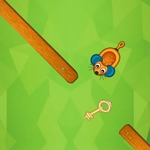
I'll admit, I rolled my eyes at another mouse-controlled puzzle game. Then the first level handed me a stack of keys and a locked door with three keyholes shaped like cat faces, and suddenly I'm squinting at the screen like a detective on a stakeout. Key Mouse wastes zero time before bending your brain.
You'll click, drag, and sometimes just hover to nudge the little rodent through rooms where every move matters. Some puzzles ask you to match key teeth to lock pins; others hide the only usable key behind a sliding panel you have to trigger with a decoy. The mouse cursor is your whole hand—there's no keyboard shortcut to save you. I kept catching myself holding my breath while dragging a key across a narrow bridge, pixels away from a spring-loaded trap.
It's the kind of puzzle game that starts sweet and turns sour, but never unfair. You'll fail, reset, and realize the solution was staring at you the whole time. That 'aha' hit is worth the headache. Even when I got stuck on a later level to the point of questioning my own intelligence, I couldn't close the tab.
👥How to Play Key Mouse
Use mouse to play this game.
✨Game Tips
• If a key doesn't fit a lock, check the teeth shape—not just the color. Some puzzles try to trick you.
• Drag slowly near traps; the mouse has a tiny hitbox, and rushing costs you restarts.
• Hover over decorative objects; some secret panels only open when the cursor sits on them for a second.
• Plan your route backwards from the exit. It's easier to spot which key goes where when you see the final door first.
• Don't ignore the background. Cracks or scratches often mark where a hidden switch is buried.
🔧FAQ
Q: Is Key Mouse free?
A: Yes, completely free to play in your browser.
Q: Can I play Key Mouse on mobile?
A: The game relies on precise mouse input, so desktop is recommended, but touchscreen taps work for basic moves.
Q: Do I need to download anything?
A: No download needed—just open the page and the game loads instantly.
Q: What category is Key Mouse?
A: It's a puzzle and thinking game that uses mouse-only controls.
Q: How long does a level take?
A: Most levels take 2-5 minutes, but later ones can take longer depending on how stuck you get.
Q: Does Key Mouse have a save feature?
A: Your progress saves automatically in your browser, so you can continue where you left off.