
Kick The Zombie
Play Count0
Published2020-10-26
Supported DevicesPC + Mobile
CategoryFun & Crazy
Rating★★★★★5.0Rate this game
📝Kick The Zombie Overview
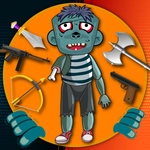
You ever just want to boot a zombie into next week? That's the entire vibe here—tap, drag, and send the undead flying with gloriously stupid physics.
💬What is Kick The Zombie?
I'll be honest: I opened this expecting another mindless tapper, but the ragdoll physics hooked me in about four seconds. You get this sad, shambling zombie on screen, and your only job is to inflict as much damage as possible. A quick tap gives it a solid kick—the zombie stumbles, groans, and loses a few teeth. But the real fun starts when you press down, drag back, and release: the zombie becomes a human cannonball, limbs flailing, bouncing off walls and floors like a broken marionette. The sound design deserves a mention too. Every kick lands with a satisfying thud, and the zombie's pained grunts are so over-the-top they loop back to being hilarious.
There's a weirdly compelling loop here despite the simple premise. Each hit racks up damage, and while the game doesn't hold your hand with tutorials, you quickly figure out that different drag angles produce wildly different trajectories. I found myself spending way too long trying to send the zombie straight up so it would land on its head. It never gets old—the zombie's expression shifts from confused to resigned to genuinely terrified as the beating continues, and that little detail kept me grinning. If you're squeamish about cartoon violence, this is basically a Looney Tunes version of the apocalypse.
The game runs smooth in a browser, no setup needed. I only meant to try it for a minute and ended up losing twenty. The mouse controls feel precise, and on a touchscreen the tap-and-drag is just as responsive. Word of warning: your finger might get tired from all the dragging, but that's the price of sending zombies into orbit.
👥How to Play Kick The Zombie
- Tap to kick the zombie
- Drag to toss the zombie
✨Game Tips
Wait for the zombie to shamble closer before tapping—the kick feels more impactful and lands extra damage.
Drag your mouse or finger steeply upward and release at the top of the arc to get a high, wobbly flight path.
After a long drag, the zombie tumbles longer; use that to chain floor bounces for bonus points.
If the zombie gets stuck in a corner, a gentle tap can dislodge it without wasting a full launch.
Watch the zombie's expression change—it often signals when a bigger damage multiplier is about to trigger.
Don't forget to try the opposite direction: dragging downward and releasing slams the zombie into the ground for a satisfying crunch.
🔧FAQ
Q: Is Kick The Zombie free to play?
A: Yes, it's completely free online with no hidden paywalls.
Q: Can I play Kick The Zombie on my phone?
A: Yes, the tap and drag controls work great on touchscreens.
Q: Do I need to download anything to play?
A: No download needed—it runs right in your web browser.
Q: How do I control the zombie kicking?
A: Tap the screen or click to kick, or press and drag to toss the zombie.
Q: Is Kick The Zombie suitable for kids?
A: It has cartoon violence and zombie themes, so use your own judgment for younger players.
Q: What's the main goal in Kick The Zombie?
A: Inflict as much damage as possible by kicking and tossing the zombie in creative ways.