
Kid Maestro
Play Count0
Published2020-06-19
Supported DevicesPC + Mobile
CategoryPuzzle & Thinking
Rating★★★★★5.0Rate this game
📝Kid Maestro Overview
Tap, listen, repeat — Kid Maestro turns a simple screen tap into a musical puzzle where every correct beat builds the melody and one miss breaks it.
💬What is Kid Maestro?
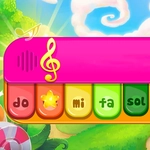
Remember those colorful toy xylophones with the big chunky keys? Kid Maestro is that toy, but someone attached a difficulty curve. Each level shows you a sequence of colored notes, and you tap them back in the right order while a little conductor waves his baton. It's simple to describe, but the puzzle part sneaks up on you. One round you're tapping red-blue-red and feeling smug, then suddenly the sequence stretches to eight notes with two nearly identical shades of orange and your brain just gives up.
I'll admit I lost an embarrassing amount of time on the later stages. There's a moment around level 12 where the game shifts from pure memory to timing. You have to tap not just the correct color, but on the exact beat. Tap too early? The note flickers red and the conductor frowns. Too late? The melody stumbles. I kept repeating that same pattern — pink, yellow, blue, pink — until my thumb learned the rhythm. That's the weird thing: it stops feeling like a puzzle and starts feeling like you're actually playing a tiny instrument.
Don't let the soft pastel art and the word 'Kid' fool you. It starts gentle, sure, but the combo of audio cues, visual clutter, and fast sequences gives your working memory a proper workout. Good for a five-minute coffee break, better if you're a completionist chasing all three stars. Just use headphones — the audio isn't just decoration, it practically tells you when you're off.
👥How to Play Kid Maestro
Tap on screen to play this game.
✨Game Tips
Watch the note colors before tapping — some shades look nearly identical on a small screen.
Don't rush the first three levels; they teach the pattern tricks you'll need later.
Use headphones if you can, the audio cues tell you exactly when you're early or late.
After a failed sequence, wait a beat before tapping again so you don't register extra inputs.
Focus on the highlighted note only, ignore the rest of the board when it gets busy.
Replay earlier levels to lock in the timing, not just the color order.
🔧FAQ
Q: Is Kid Maestro free?
A: Yes, it's completely free to play in your browser with no hidden payments.
Q: Can I play Kid Maestro on mobile?
A: Yes, the tap controls work on touchscreens and it feels great on a phone.
Q: Do I need to download anything?
A: No download needed. It runs directly in your browser as an HTML5 game.
Q: What age is Kid Maestro for?
A: It's designed for kids but the later puzzles challenge adults too.
Q: Do I need sound to play?
A: Sound isn't required but audio cues make it much easier to time your taps.
Q: How do I restart a level?
A: Tap the level again from the menu or use the on-screen restart button between attempts.