
Kids Birthday Party Games
Play Count0
Published2022-07-13
Supported DevicesPC + Mobile
CategoryArcade & Classic
Rating★★★★★5.0Rate this game
📝Kids Birthday Party Games Overview
How many party games can one mouse survive before the birthday cake gets dropped, the balloons pop, and the pinata finally splits wide open?
💬What is Kids Birthday Party Games?
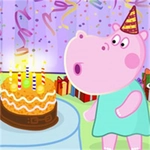
I don't know who decided a birthday party needed a mouse and keyboard, but they were right. You click through a carousel of silly mini-games: stacking presents, guiding a balloon through a maze of streamers, maybe a memory match with party hats. The cake decorating challenge got me twice because the frosting nozzle drifts like it's been dipped in butter. It's simple enough for actual kids, but the wonky physics kept me clicking past my bedtime.
The mouse does the heavy lifting. Need to blow out candles? Rapid click near the flame. Pinata time? Swing by holding the button and moving in a circle. The keyboard feels tacked on—spacebar jumps over spilled juice boxes in one round—but it's optional. One detail I appreciated: when you lose a mini-game, the party guests do that awkward half-groan half-laugh, and you can't help but retry.
You won't find a deep story or unlockable skins here. It's a quick hit of arcade chaos with a birthday theme. I'd recommend it for a classroom reward, a rainy afternoon, or if you just want to hear cartoon kids yell "surprise!" for the hundredth time.
👥How to Play Kids Birthday Party Games
Use Mouse To Play and Keyboard
✨Game Tips
Use the mouse for precision tasks like candle blowing—keyboard is slower and less accurate.
In the balloon pop round, aim for clusters of three or more to trigger chain pops and save time.
Don't ignore the keyboard hints; some mini-games let you skip animations with the spacebar.
The pinata swing has a slight delay, so start your motion a beat before you want the swing to land.
If a mini-game frustrates you, skip it—there's no penalty for focusing on the ones you like.
Watch for the hidden star in each level; clicking it gives you a point bonus and feels satisfying.
🔧FAQ
Q: Is Kids Birthday Party Games free?
A: Yes, it's completely free to play in your browser with no hidden charges.
Q: Can I play Kids Birthday Party Games on mobile?
A: The game works best with a mouse, but many touchscreen browsers can handle basic clicking and dragging.
Q: Do I need to download anything to play?
A: No downloads or installs are needed. Just open the page and it runs directly.
Q: Does this work on school computers?
A: Usually yes, since it's an HTML5 browser game and doesn't require admin access or plugins.
Q: How many mini-games are included in Kids Birthday Party Games?
A: There are around a dozen rotating party-themed challenges, from cake decorating to musical chairs.
Q: Is this game okay for younger kids?
A: Absolutely. No violence or scary content, just bright colors and birthday party nonsense.