
Kids Cartoon Puzzle
Play Count0
Published2019-11-26
Supported DevicesPC + Mobile
CategoryArcade & Classic
Rating★★★★★5.0Rate this game
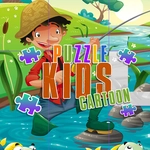
📝Kids Cartoon Puzzle Overview
Drag bright cartoon pieces into place and watch silly scenes snap together in this easygoing jigsaw treat for all ages.
💬What is Kids Cartoon Puzzle?
Most puzzle games bury the fun under menus and timers. This one just hands you a jumble of bright cartoon tiles and lets you get to work. You'll choose from several cheerful scenes—animals, vehicles, playful kids—then pieces scatter around the edges. Drag them into the center frame, and if the position is right, the tile clicks into place with a subtle flash. If it's wrong, it slides back and you try again. No penalties. No ticking clock breathing down your neck. That alone makes it a relaxing pick for younger players who are still building spatial awareness.
I'll admit I went in expecting a five-second distraction and ended up finishing three pictures back to back. There's a nice little rhythm to scanning for edge pieces first, then filling the middle. The cartoon art stays clean and readable, so a tiny chef hat or a bright red firetruck corner is easy to spot even when everything's scrambled. One detail I appreciated: the puzzle board has a faint outline of the finished image, which keeps frustration low without making it feel like cheating. Kids can rely on shapes and colors equally.
Because it's mouse or touch only, this runs well in a browser on almost any device. No keyboard commands to memorize, no right-click menus. Just point, click or tap, and drag. For a quick brain warm-up during a break or something to occupy a younger sibling while dinner cooks, it fits the bill. The arcade label makes sense in the loosest sense—it's pick-up-and-play with instant feedback, just without the stress of a high score chasing you off.
👥How to Play Kids Cartoon Puzzle
Use mouse or tap to screen.
✨Game Tips
• Start with the corners and edge pieces to build the frame first, then fill the middle.
• Use the faint background outline as a guide when the colors get too similar.
• Drag a piece slowly near its spot; the snap trigger is generous, so you don't need pixel-perfect placement.
• If a piece won't fit, set it aside and scan for its matching shape instead of forcing it.
• Tap the screen once to pick up a piece and again to release if dragging feels finicky on mobile.
• Aim for recognizable details like eyes, wheels, or hats when you're stuck.
🔧FAQ
Q: Is Kids Cartoon Puzzle free?
A: Yes, it is completely free to play in your browser.
Q: Do I need to download anything to play Kids Cartoon Puzzle?
A: No download is needed. It runs right in your browser using HTML5.
Q: Can I play Kids Cartoon Puzzle on mobile?
A: Yes, the touch controls work on phones and tablets.
Q: What age group is Kids Cartoon Puzzle suitable for?
A: It is designed for young children but can be enjoyed by any age.
Q: Does Kids Cartoon Puzzle have a timer or score?
A: No, there is no timer or scoring, so you can play at your own pace.
Q: Do I need a mouse to play Kids Cartoon Puzzle?
A: A mouse works, but you can also use touch on supported devices.