
Kids Coloring Book
Play Count0
Published2020-02-27
Supported DevicesPC + Mobile
CategoryGirls & Lifestyle
Rating★★★★★5.0Rate this game
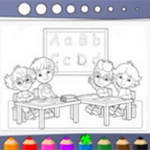
📝Kids Coloring Book Overview
Grab the crayon tool, tap a color, and watch a plain outline turn into a rainbow dinosaur before you even realize you've spent 20 minutes on it.
💬What is Kids Coloring Book?
You know those coloring apps that feel overcomplicated? Kids Coloring Book skips the nonsense. There's zero pressure here—just a stack of black-and-white pictures waiting for some color. The palette sits right there on screen, the fill bucket does exactly what you'd expect, and the eraser never turns into some weird smudge tool. It's the kind of simple that's actually hard to find.
I caught myself redoing the same butterfly four times because the purple-pink gradient on its wings looked too good to leave alone. That's the thing about this one: it's not about finishing fast or scoring points. You tap a section, it floods with color, and suddenly you realize you're on your third page while the coffee's gone cold. The touch controls feel natural on a tablet, and the mouse works fine too—no weird lag between click and color. Some pages have big areas for little kids, others have smaller details that kept me locked in longer than I'd like to admit.
It's not going to blow your mind with features, and that's the point. No ads popping up mid-page, no timer counting down, no locked content begging for five stars. Just you, a color wheel, and a bunch of outlines that slowly look less like a printer test page. If you need a ten-minute brain break, this does the job. If you're handing it to a kid, even better—they'll figure it out in seconds and you won't have to explain a single thing.
👥How to Play Kids Coloring Book
Mouse or Touch
✨Game Tips
Use the fill bucket for large areas instead of scribbling—it saves time and keeps edges clean.
If you mess up, just pick white or the eraser and tap the spot, no need to restart the whole page.
Mix colors on the same picture: a pink sky with orange clouds looks way cooler than all blue.
The undo button isn't cheating—it's part of the fun, so don't be afraid to experiment.
Start with the big background shapes first, then move to the small details so you don't accidentally cover something later.
🔧FAQ
Q: Is Kids Coloring Book free?
A: Yes, it's completely free to play in your browser.
Q: Can I play Kids Coloring Book on mobile?
A: Yes, touch controls work smoothly on phones and tablets.
Q: Do I need to download anything?
A: No download needed—just open the site and start coloring.
Q: Is Kids Coloring Book suitable for toddlers?
A: Yes, simple tapping and a clear palette make it friendly for young kids.
Q: Can I save my colored pictures?
A: You can screenshot your finished page, but the game itself doesn't have a save feature.
Q: Does Kids Coloring Book have ads?
A: No intrusive ads interrupt the coloring experience while you play.