
Kids: Farm Fun
Play Count0
Published2020-03-18
Supported DevicesPC + Mobile
CategoryPuzzle & Thinking
Rating★★★★★5.0Rate this game
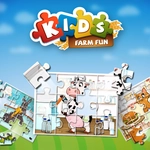
📝Kids: Farm Fun Overview
Piece together cheerful farm scenes with your little one — three difficulty levels keep the challenge just right for every age.
💬What is Kids: Farm Fun?
You know that quiet moment when a kid finally snaps a puzzle piece into place and their face lights up? That's the whole vibe of Kids: Farm Fun. It's a straightforward jigsaw game with bright, friendly farm pictures — cows, tractors, chickens, the works. The pieces are chunky and clicking them into the right spot feels satisfying even for an adult who's just killing time. I ended up finishing the easy sheep puzzle in under a minute, then bumped up to the hardest level out of pure stubbornness.
There are three difficulty settings, which basically means more pieces per picture as you go. The easy mode is perfect for a preschooler learning to match shapes and colors, while the hardest mode can genuinely take a few minutes if you don't sort the edge pieces first. The game doesn't rush you, doesn't penalize mistakes, and the picture preview stays visible in the corner — a huge help when you're staring at a pile of identical-looking green bits. I found myself rotating pieces mentally just by looking, and the drag-and-drop snaps have a gentle click that's oddly calming.
Don't expect timers, scores, or any pressure. This is the kind of game you'd let a kid play on a tablet while dinner cooks, or that you might poke at yourself because the farm scenes are surprisingly pleasant. The controls are dead simple: click or tap a piece, drag it near where it belongs, and it locks in if you're right. My only tiny gripe is that the piece tray can get crowded on the hardest setting, but zooming out fixes that. Overall, it's a clean, safe puzzle experience that actually works for both age groups it claims to serve.
👥How to Play Kids: Farm Fun
The goal of the game is to assemble each picture. The game comes with three difficulties with increasing amount of pieces for each picture. This jigsaw puzzle game is suitable for both children and parents.
✨Game Tips
Start with edge pieces first — corners and straight sides give you a frame to work inward from.
If a piece won't snap, rotate it mentally or try a different section; sometimes the color match is just slightly off.
Use the picture preview in the corner as a reference map, especially for sky or grass areas that look the same.
On the hardest difficulty, drag the piece tray to the side so you don't accidentally cover the puzzle area.
Let younger kids handle the easy level to build confidence before switching to medium — the jump in piece count is noticeable.
Clicking a piece twice automatically rotates it, which is faster than hunting for the rotation button.
🔧FAQ
Q: Is Kids: Farm Fun free to play?
A: Yes, it's completely free and runs directly in your browser with no account or payment needed.
Q: Can I play Kids: Farm Fun on mobile?
A: Absolutely. The touch controls work on phones and tablets, and the pieces are large enough for small fingers.
Q: Do I need to download anything to play?
A: No downloads. Just open the game in any modern web browser and start playing instantly.
Q: What age is this game suitable for?
A: It's designed for young children aged 3 and up, but the harder levels can challenge older kids and even adults.
Q: How do I change the difficulty level?
A: You'll see three difficulty buttons on the main menu or before each puzzle. Pick easy, medium, or hard before starting.
Q: Does the game have ads or in-app purchases?
A: No in-app purchases. Depending on where you play, there may be a banner ad, but nothing that interrupts the puzzle.