
Kids Hangman
Play Count0
Published2020-12-16
Supported DevicesPC
CategoryArcade & Classic
Rating★★★★★5.0Rate this game
📝Kids Hangman Overview
You'd think a word game this old would feel stale, but Kids Hangman keeps the whole thing surprisingly tense from the first letter to the last limb.
💬What is Kids Hangman?
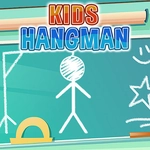
You'd think a word game this old would feel stale, but Kids Hangman keeps the whole thing surprisingly tense from the first letter to the last limb. The setup is dead simple: a row of blank spaces, a bunch of letter buttons, and a stick figure waiting to be drawn. You click or tap a letter, and either it fills in a blank or the hangman grows another body part. That's it—but somehow it never gets boring. The trick is picking letters that actually fit kid-friendly words, not just random guesses. I had a round where I guessed 'A' and 'E' first and got both, and the word practically spelled itself. Then the next round I burned four wrong letters and the poor pixel guy was one limb away from done. That swing from confident to panicked is what makes it fun.
What keeps Kids Hangman from feeling like a chore is the pacing. You aren't punished for taking your time, and the on-screen buttons are big enough for clumsy fingers. On desktop, the mouse is the only thing you need—move, click, repeat. On mobile, the touch buttons are laid out in a comfortable grid, so you won't fat-finger the wrong letter. The words lean toward stuff kids actually know, which means you can use categories like animals, food, or colors as a mental shortcut. If you see five blank spaces and already have two vowels filled in, you can start eliminating possibilities fast.
I'd put this on the chill end of classic arcade games. It's not going to spike your adrenaline, but it scratches a very specific brain-itch—the same one you get from crosswords or word searches. For younger players, it's a low-pressure way to practice spelling without feeling like a test. For older kids (or tired parents), it's a nice reset between faster games. Don't expect flashy animations or power-ups; the charm is in the stripped-down rhythm of guess, pause, react. If you enjoy word puzzles and want something that won't overwhelm, this one earns a bookmark.
👥How to Play Kids Hangman
Use mouse on desktop or touch buttons on your mobile device.
✨Game Tips
Start with the vowels—A, E, I, O, U. Most kid-friendly words have at least one, and they give you the skeleton of the word immediately.
Don't waste early guesses on rare letters like Q, Z, or X. Save those for when the word is mostly revealed.
Use the number of blank spaces to think about word families. A three-letter word with an A in the middle is probably something like cat, bat, or hat.
If you're on a touchscreen, tap the on-screen letter buttons instead of your device keyboard—it's faster and you won't accidentally close the tab.
Once the hangman has four body parts drawn, stop guessing broadly. Only pick letters you're nearly positive are in the word.
The last letter is often obvious when only one blank remains. Don't panic—read the partial word out loud in your head and the answer usually clicks.
🔧FAQ
Q: Is Kids Hangman free to play?
A: Yes, Kids Hangman is completely free. There are no hidden paywalls or premium features.
Q: Do I need to download anything to play Kids Hangman?
A: No downloads needed. It runs right in your web browser using HTML5.
Q: Can I play Kids Hangman on my phone or tablet?
A: Yes, the touch buttons work well on mobile devices. Just open the game page and tap to guess letters.
Q: Is Kids Hangman safe for young children?
A: The game has no violence, ads that distract, or inappropriate content. It's designed with kids in mind.
Q: What age group is Kids Hangman best for?
A: It's ideal for ages 6 to 12, but anyone who likes word puzzles can enjoy it.
Q: Does Kids Hangman require an internet connection?
A: Yes, you need to be online to load the game in your browser.