
Kids Instruments
Play Count0
Published2021-03-23
Supported DevicesPC
CategoryArcade & Classic
Rating★★★★★5.0Rate this game
📝Kids Instruments Overview
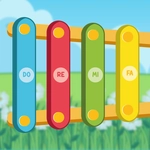
A rainbow of drums, pianos, and xylophones sits right on your screen, ready for tiny fingers (or yours) to make noise.
💬What is Kids Instruments?
I loaded this up on a whim after my nephew kept grabbing my keyboard. The first thing that hit me: everything on screen is massive. A fat yellow drum sits next to a rainbow piano, and each tap triggers a clean, satisfying sound — a bouncy 'boing' here, a crisp 'ding' there. It's built for kids who can't read yet, which means you won't find menus or options. You just click or touch an instrument and it plays. That's the whole loop. And honestly? It works. I caught myself building little four-note patterns just to hear the silly whistle sound repeat.
There's no score, no timer, no way to lose. That might sound boring if you're used to frantic browser games, but for a three-year-old it's perfect. They can smack the drum fifty times in a row and the game just smiles back with another soft thump. If you're a parent looking for five minutes of quiet, this is a solid pick — though I'd recommend headphones if you're not in the mood for repeated maraca shakes. One small annoyance: the sounds can overlap if you click super fast, which turns into a wall of noise. But for the target audience, that's a feature, not a bug.
👥How to Play Kids Instruments
Use mouse or touch the screen!
✨Game Tips
Let the kid smash as many notes as they want — there's no scoring system, so it's purely for fun.
Use a touchscreen if possible. Tapping a real drum image feels way more responsive than clicking with a mouse.
Make a simple rhythm (drum, drum, piano) and see if they can copy it back; it sneaks in a little memory practice.
Keep the volume moderate. The sounds stack when you spam clicks, and it gets loud fast.
Try the shaker last — its longer rattle is a good reward after they've explored the piano and drum.
🔧FAQ
Q: Is Kids Instruments free to play?
A: Yes, it's completely free in your browser with no paywall or premium features.
Q: Can I play Kids Instruments on my phone or tablet?
A: Yes, it works on any device with a touchscreen or mouse, including phones and tablets.
Q: Do I need to download anything to play?
A: No downloads needed. Just open the game page and start tapping the instruments.
Q: Is Kids Instruments safe for young children?
A: Absolutely. There's no violence, ads in the game itself, or external links for kids to tap.
Q: Can I use a mouse instead of touch?
A: Yes, clicking with a mouse works just as well as touching the screen.
Q: Does the game need sound to be fun?
A: Sound is the whole point, so turn on your speakers or use headphones for the best experience.