
Kids Piano
Play Count0
Published2020-12-07
Supported DevicesPC
CategoryArcade & Classic
Rating★★★★★5.0Rate this game
📝Kids Piano Overview
Ever wonder what a cow sounds like on middle C? Kids Piano swaps the usual piano tones for animal noises, and it's absurdly fun.
💬What is Kids Piano?
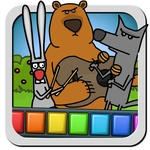
Kids Piano takes the idea of a toy piano and throws in a barnyard twist. You click the animal icons along the top – a cat, a dog, a cow, maybe a frog – and suddenly every key you press comes out as that animal's sound. The cat meows in different pitches, the cow moos in a scale, and it's exactly as silly as it sounds. I clicked the cat and hit a chord; the resulting yowl made me laugh out loud. It's dead simple: no sheet music, no wrong notes, just click and hear.
The interface is bright and chunky, clearly built for little fingers on a touchscreen or a mouse. Each key is a big colored block, and the animal icons are large enough to spot without squinting. You don't need any rhythm or musical talent – honestly, my two-year-old nephew was able to switch to the frog sound and start tapping away within seconds. There's no timer, no score, no way to lose. It's a pure noise-maker that keeps kids entertained while secretly teaching cause and effect.
I'll admit I spent a few minutes just trying to play a real melody with the pig sound, which is much harder than it looks. The lack of a sustain means every note is short and staccato, so you have to click quickly for anything resembling a tune. That's not a flaw – it's part of the charm. For a free unblocked game, it loads instantly in a browser tab, and there's no sign-up or ad wall blocking the fun. Perfect for a quick distraction or a way to introduce a preschooler to the idea of a keyboard.
👥How to Play Kids Piano
Click on the animal to activate its tool.
Click on the animal icon on the piano panel to make the piano play with the sounds of that animal.
Click on the keys on the piano to make it play.
✨Game Tips
Click each animal icon at the top before you start playing to hear all the different noises, then pick your favorite.
Use a mouse or tap the screen – both work, but short fast clicks are better because there's no sustain on any note.
If you're trying to play an actual melody, stick to the center keys; the pitch range is limited.
Let the kid switch animals mid-song; it turns a simple scale into a chaotic comedy routine.
No need to worry about volume control on the game itself – just keep your device volume reasonable because some animals are louder than others.
🔧FAQ
Q: Is Kids Piano free to play?
A: Yes, it's completely free with no paywalls or premium versions.
Q: Can I play Kids Piano on my phone or tablet?
A: Yes, it works on any modern browser and responds to touch just like mouse clicks.
Q: Do I need to download or install anything?
A: No download needed – it runs instantly in your web browser as an HTML5 game.
Q: Is Kids Piano safe for toddlers?
A: Absolutely, there's no chat, ads that block the screen, or any external links for kids to click by accident.
Q: How do I change the animal sound?
A: Click one of the animal pictures on the panel above the piano keys, and all the keys will play that animal's sound.
Q: Does Kids Piano require an internet connection?
A: Yes, you need to be online to load the game, but it doesn't use much data after that.