
Kill Shot Virus Shooting Walking Zombie Dead City
Play Count0
Published2021-05-27
Supported DevicesPC
CategoryAction & Fighting
Rating★★★★★5.0Rate this game
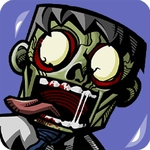
📝Kill Shot Virus Shooting Walking Zombie Dead City Overview
One bullet separates you from the shambling horde in this bleak zombie city shooter—aim fast, drop walkers, and clear the infection block by block.
💬What is Kill Shot Virus Shooting Walking Zombie Dead City?
I'll be honest: when I first loaded Kill Shot Virus Shooting Walking Zombie Dead City, I expected another dime-a-dozen browser shooter. But the pacing surprised me. You're dropped into a ruined city street, and the walkers come at you in waves—not sprinting, just relentless. Clicking to fire feels crisp, and headshots actually matter. I found myself holding my breath during a lull, scanning doorways and abandoned cars for movement. The virus theme runs through everything: green-tinted air, moans just loud enough to make you check behind you, and a kill counter that rewards clean shots over spray-and-pray.
The loop is simple but effective. Each level dumps you into a new corner of the city with limited ammo and a health bar that doesn't forgive mistakes. I learned the hard way that reload timing is everything; you can't cancel a reload once you commit, so any zombie that closes the gap mid-animation will chew you up. The aiming is mouse-based, so it's all about tracking moving targets and predicting when a walker will stumble into your crosshair. One moment stuck with me: I was down to my last three rounds, two zombies shambling toward me, and I managed to line up a double-kill through the first walker's head into the second. That kind of accidental badassery is why I kept coming back.
There's no complicated inventory or perk tree to grind. It's a lean, pick-up-and-play murder fest that respects your time. Yes, it's bloody, but the gore leans cartoonish rather than grim, which keeps it from feeling too heavy. If you just want to turn your brain off and clear a zombie-infested block before lunch, this scratches that itch perfectly.
👥How to Play Kill Shot Virus Shooting Walking Zombie Dead City
tap, mouse left click
✨Game Tips
- Aim for the head; body shots eat ammo and rarely stop a walker in one hit.
- Reload only when you have a second of space—zombies will punish an empty chamber.
- Use controlled single clicks instead of holding the trigger to avoid wasting rounds.
- Watch alleys and doorways between waves; spawns often come from the sides.
- Keep moving laterally while shooting to break their tracking path.
- Save your last few bullets for close-range emergencies.
🔧FAQ
Q: Is Kill Shot Virus Shooting Walking Zombie Dead City free to play?
A: Yes, it's completely free in your browser. No paywalls or forced ads block the main shooting loop.
Q: Can I play this on my phone?
A: You can, though mouse aiming feels best on desktop. Touch controls work but are less precise for headshots.
Q: Do I need to install or download anything?
A: No download needed. The game runs on HTML5, so just open the page and click to start.
Q: Why won't the game load on my school Wi-Fi?
A: Some networks block gaming sites. Try a different browser or use a VPN if your school allows it.
Q: Is there a pause button or ammo pickups?
A: There's no pause, but you'll find ammo and health pickups scattered between wave areas.
Q: Can I adjust the mouse sensitivity?
A: Not in the current version. If aiming feels too fast, lower your browser's pointer speed or try a different DPI setting.