
Kill the Zombies
Play Count0
Published2020-05-13
Supported DevicesPC + Mobile
CategoryAction & Fighting
Rating★★★★★5.0Rate this game
📝Kill the Zombies Overview
You've got a pistol, a horde of undead closing in from every side, and nowhere left to run—how many waves can you clear before they drag you down?
💬What is Kill the Zombies?
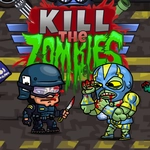
The first thing you notice is the sound—that squelchy thud when a bullet connects with a rotting skull. Kill the Zombies doesn't mess around with story or fancy menus. You spawn in a small arena-like space, armed with a basic pistol, and the dead start lumbering toward you. The background is a grim gray, the zombies are greenish with blood spatter, and the gunshot sounds are chunky and satisfying. The controls are classic: arrow keys move you, spacebar fires, and R reloads when your clip runs dry. That reload is the scary part. You'll hear the click of an empty chamber exactly when three zombies are two steps away. I've died more times from forgetting to hit R than from actually getting overwhelmed.
The zombies don't come all at once; they trickle in from different directions, forcing you to constantly swivel and prioritize. The pistol has a decent fire rate but limited ammo per magazine—headshots aren't a thing, so you aim center mass and hope the knockback buys you a second. As waves progress, the walkers get faster, or maybe there are more of them; it's hard to tell because you're too busy backpedaling into a corner. Cornering yourself is usually suicide. The map isn't huge, and the edges are unforgiving. You need to keep moving, keep shooting, and keep track of that ammo counter. The R key is your lifeline. I once had a clean run going until I realized I was still holding the R key because I'd been reloading out of habit—and then six zombies poured through a gap I hadn't noticed. That's the game: one lapse and you're dead.
What keeps me coming back is the simple, brutal loop: shoot, dodge, reload, repeat. There's no upgrade tree, no health packs scattered around—just you and the horde. Each run feels different because the spawns are unpredictable enough to keep you flinching. The pixelated gore is surprisingly satisfying; zombies burst into red pixels when they die, leaving a satisfying splatter on the floor. It's a quick hit of adrenaline perfect for a study break or a few rounds between classes. If you're into fast, uncomplicated survival shooters, this one scratches that itch without demanding a download or a login. Just open the tab, wait for it to load, and start blasting.
👥How to Play Kill the Zombies
Use arrow keys to move, Spacebar to shoot, R to recharge.
✨Game Tips
Keep an eye on your ammo counter; reload with R before it hits zero, not after.
Never back into a corner. Keep circling the arena to maintain escape routes.
Shoot the closest zombie first, not the one right in front—the nearest threat is always priority.
Don't hold the fire button; tap shots to conserve ammo and keep accuracy.
Learn the spawn patterns; zombies often come from opposite sides in later waves.
🔧FAQ
Q: Is Kill the Zombies free to play?
A: Yes, it's completely free in your browser.
Q: Do I need to download Kill the Zombies?
A: No download needed, it runs on HTML5.
Q: Can I play Kill the Zombies on mobile?
A: It works best with a keyboard, but some mobile browsers support touch controls.
Q: What are the controls for Kill the Zombies?
A: Arrow keys move, Spacebar shoots, R reloads.
Q: Is Kill the Zombies safe for kids?
A: It has cartoonish blood and violence, so it's fine for teens but maybe too intense for young kids.
Q: Can I play Kill the Zombies unblocked at school?
A: Yes, it's hosted on unblocked game sites and doesn't require Flash.