
Kingdom Defensing
Play Count0
Published2022-09-06
Supported DevicesPC
CategoryAction & Fighting
Rating★★★★★5.0Rate this game
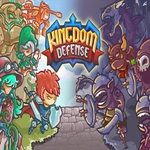
📝Kingdom Defensing Overview
Arrows whiz past your ear as a battering ram slams into the gate — welcome to Kingdom Defensing, where every second counts.
💬What is Kingdom Defensing?
The first thing you'll notice is how fast the pressure piles on. You start with a tiny stone keep and a couple of archer slots, then a wave of goblins comes screaming out of the treeline before you've even figured out the hotkeys. That's the charm. Kingdom Defensing doesn't hand you a tutorial with padded gloves; it throws a torch into the barn and asks you to put it out with a bucket you're still assembling.
You'll spend most of your time switching between mouse placement and keyboard shortcuts — pressing 1 to drop a sword unit, 2 for an archer, maybe 3 to repair the gate. I kept fat-fingering the upgrade key in the first few runs, but once you get the rhythm it feels almost like conducting a violent little orchestra. Each unit type has a specific range and cost, so placing a cheap spearman at a choke point while your crossbowmen pepper from the ramparts becomes second nature.
The real hook is that you can't just spam the strongest unit. Gold ticks in slowly, and every dead defender drains it further, so you start making ugly compromises: let the left wall burn because the right flank is about to break, or sell a barracks to afford one more ballista. It's messy, tense, and weirdly personal. The art style keeps everything readable even when the screen fills with pixelated carnage. If you like defense games that punish greed, this one will ruin your evening in the best way.
👥How to Play Kingdom Defensing
Use Mouse To Play and Keyboard
✨Game Tips
Learn the hotkeys before wave three; pressing 1–4 to spawn units is faster than clicking the icons while your gate is on fire.
Put cheap melee blockers at the narrowest path — archers behind them do triple the work for half the gold.
Don't repair the front wall too early; it's often cheaper to let it fall and fall back to the inner gate.
Save at least 30 gold after each wave. A panic ballista buys more time than two more swordsmen.
Upgrade your crossbowmen before building a second archer post; one upgraded shooter outranges two basic ones.
The pause key still lets you issue orders, so use it to reposition without the chaos.
🔧FAQ
Q: Is Kingdom Defensing free to play?
A: Yes, it runs directly in your browser with no paywall or hidden charges.
Q: Can I play Kingdom Defensing on mobile?
A: The browser version works on phones, but mouse and keyboard are recommended for faster unit placement.
Q: Do I need to download anything to play?
A: No download needed. It loads as an HTML5 game, so just open the page and wait a few seconds.
Q: What do the keyboard keys do?
A: Number keys 1–4 select unit types, spacebar pauses the action, and the arrow keys or WASD pan the camera.
Q: Why do I keep losing on wave five?
A: You're probably overspending on repairs. Let weak sections fall and funnel enemies into a kill zone instead.
Q: Does Kingdom Defensing have multiple levels?
A: Yes, the campaign takes you through different map layouts, each with harsher enemy waves and tighter gold.