
Knight Adventure 2
Play Count0
Published2023-04-11
Supported DevicesPC
CategoryAction & Fighting
Rating★★★★★5.0Rate this game
📝Knight Adventure 2 Overview
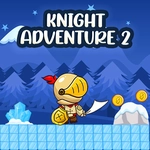
Sword out, bow ready — this pixelated knight is charging through castles and dungeons, and every wrong step ends with a spike through the boot.
💬What is Knight Adventure 2?
You know that moment when you're holding right arrow, eyes locked on a gap that looks exactly one pixel too wide, and your brain screams JUMP but your finger hesitates? That's Knight Adventure 2 in a nutshell. It's a side-scrolling action platformer where you control a little knight who's apparently allergic to staying alive. Left and right move, up or W or space jumps, and here's the twist: you can also shoot with Ctrl or left mouse button. So it's not just a platformer — you're dodging traps while lobbing arrows or fireballs at anything that twitches. I died maybe nine times on the same spike pit before I realized I could shoot the enemy on the other side first and then hop across in peace.
The pixel art has that crunchy retro charm, like an old Game Boy game that got angry. Enemies don't politely wait for you; they patrol, they charge, they respawn. Some levels make you feel like a genius for landing a triple jump between crumbling platforms, and then the next room punishes you for breathing. The shooting mechanic adds a layer of strategy — do you waste time killing that skeleton archer, or risk sprinting past him? I kept choosing wrong until I started treating it like a rhythm game: jump, shoot, land, shoot, jump, pray.
If you're the kind of player who replays a level just to shave off two seconds or find a hidden ledge, this one will eat your afternoon. It's not a long game, but it knows how to make every death feel slightly more personal than the last. Just bring patience and maybe a spare keyboard for when the spacebar starts sticking.
👥How to Play Knight Adventure 2
Use Left and Right to move;
Up Arrow and W or Space To Jump
Ctrl and Left Mouse Button To Shoot
✨Game Tips
Learn the enemy patrol patterns — most of them turn around at a set point, so you can time your shots to hit them mid-turn.
Don't ignore the bow. Holding Ctrl or clicking the mouse fires a projectile that can kill enemies before they reach you, which saves a ton of health.
Practice short hops. Tapping the jump key instead of holding it gives you lower, more controlled jumps that are perfect for tight gaps.
Use the environment. Some platforms have walls you can hug to avoid incoming arrows while still returning fire.
When you see a spike pit with an enemy on the far side, take the enemy out first. Don't be a hero and jump directly into a fireball.
The controls support both keyboard and mouse shooting — try using right hand for movement on arrow keys and left hand for mouse shooting if you're on a PC. It feels weird at first but works.
🔧FAQ
Q: Is Knight Adventure 2 free to play?
A: Yes, it's completely free and runs in your browser without any paywalls or hidden costs.
Q: Can I play Knight Adventure 2 on my phone or tablet?
A: The game uses keyboard and mouse controls, so it's best played on a desktop or laptop with a physical keyboard.
Q: Do I need to download or install anything?
A: No downloads needed. Just open the game page and it loads instantly in your browser as an HTML5 game.
Q: What are the controls for shooting?
A: You can shoot by holding Ctrl or clicking the left mouse button. Movement uses arrow keys or WASD for jump.
Q: Is Knight Adventure 2 multiplayer?
A: No, it's a single-player action platformer. You're on your own against the traps and monsters.
Q: Will my progress be saved if I close the browser?
A: Usually not for browser games like this. You'll start from the beginning or the last level you reached depending on the game's internal checkpoints.