
Labyrinth Jigsaw
Play Count0
Published2021-09-27
Supported DevicesPC
CategoryPuzzle & Thinking
Rating★★★★★5.0Rate this game
📝Labyrinth Jigsaw Overview
Can you piece together a twisting labyrinth from scattered puzzle fragments, matching curved corridors and dead ends until the full maze clicks into view?
💬What is Labyrinth Jigsaw?
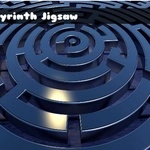
I’ll admit, I wasn’t sure how a jigsaw puzzle of a maze would feel different from any other picture puzzle. But there’s something weirdly fitting about it — you’re literally assembling a labyrinth while your brain tries to solve the path at the same time. The pieces are scattered across the board, and you use your mouse to drag each one into place. Some pieces look almost identical, all curling white lines against dark stone, so you end up rotating them mentally even before you drop them. It’s not a timed race; it’s more of a meditative click-and-place session that still makes you feel clever when a dead end suddenly lines up with a corridor you’ve been staring at.
The game rewards patient observation. The image isn’t just a random maze — it’s usually a stylized, hand-drawn labyrinth with subtle color variations and tiny details like vines or cracked walls. Those details are your lifeline when two pieces seem interchangeable. I found myself grouping pieces by corner shapes and edge markings, then slowly building outward from the most distinctive section. The dragging feels smooth, no frustrating snap-back unless you’re nowhere near the right spot. And when the final piece clicks in and the whole labyrinth reveals itself, you get that little rush of completion that keeps you coming back to the next puzzle.
If you like visual puzzles that don’t punish mistakes, this one’s a solid time-killer. It’s simple enough to zone out while listening to a podcast, but complex enough that you won’t just autopilot through it. Just be prepared to accidentally lose a piece behind another if you pile them up — though that’s half the fun of sorting.
👥How to Play Labyrinth Jigsaw
Mouse Drag And Drop
✨Game Tips
Sort edge pieces first — corners are the easiest anchors.
Zoom in if the maze lines look too similar; small texture details matter.
Drag pieces to the side to clear space, but keep them visible so you don't lose track.
Test a piece by hovering it near the spot; the game often snaps it if you're close.
Don't force a fit; if it doesn't align, move on and come back later.
Work on distinct areas of the maze first, like entrances or dead ends.
🔧FAQ
Q: Is Labyrinth Jigsaw free to play?
A: Yes, it's completely free on this page — no hidden charges or paywalls.
Q: Do I need to download anything?
A: No download needed. It runs right in your browser as an HTML5 game.
Q: Can I play Labyrinth Jigsaw on my phone?
A: Yes, the drag-and-drop works with touch controls on mobile browsers.
Q: What if I can't find where a piece goes?
A: Look for unique colors or line patterns, or set the piece aside and try another section.
Q: Is there a timer or move limit?
A: No, you can take as long as you want — it's a relaxed puzzle.
Q: Can I restart the puzzle if I get stuck?
A: Usually a refresh or a restart button exists. Check the game screen for a reset icon.