
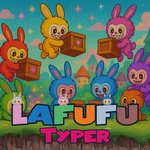
Lafufu Typer
Play Count0
Published2025-08-14
Supported DevicesPC + Mobile
CategoryArcade & Classic
Rating★★★★★5.0Rate this game
📝Lafufu Typer Overview
Every second counts when Lafufu's word storm hits your screen—type fast or watch the letters stack up.
💬What is Lafufu Typer?
I'll admit, I didn't expect much from a game called Lafufu Typer. But within two minutes, I was hammering my keyboard like a caffeinated woodpecker. The basic loop is simple: Lafufu, a round little blob with a mischievous grin, hurls words at you from the top of the screen. Each word is a threat—if it reaches the bottom, you lose a heart. Three hearts gone and it's game over. But the catch is that the words aren't random jumbles; they're actual English words, sometimes weirdly specific ones like "quokka" or "xylophone." Typing them correctly makes the word explode into a shower of pixels, and you get a tiny dopamine hit every time.
What keeps me coming back is the acceleration. The first thirty seconds are a gentle warm-up—short words like "cat," "dog," "sun." Then Lafufu starts getting aggressive. Words get longer, they fall faster, and sometimes two or three appear at once. Before you know it, your fingers are flying and you're muttering letters under your breath. The game rewards accuracy with combo multipliers, but one typo and the whole combo resets. I've rage-quit more times than I'd like to admit after fat-fingering "necessary" at 40 words per minute. There's also a leaderboard, so you'll find yourself chasing that top spot with an unhealthy obsession.
The visuals are simple but charming—bright, cartoonish, and easy on the eyes during long sessions. The sound effects are satisfyingly crunchy when you nail a word. If you've ever wanted to test your typing speed under pressure without downloading some bloated software, Lafufu Typer scratches that itch perfectly. It's pure arcade reflex with a vocabulary twist.
👥How to Play Lafufu Typer
Use keyboard or touch to play
✨Game Tips
Focus on accuracy over speed early on—your combo multiplier matters more than rushing.
Keep your fingers on the home row; once words start piling up, hand position is everything.
Ignore the falling word's animation and just read the letters—your brain types faster than your eyes.
If a long word appears, start typing it before the shorter ones, because it'll take longer to clear.
Use your peripheral vision to spot the next word while finishing the current one.
Don't panic when multiple words drop at once; clear the ones closest to the bottom first.
🔧FAQ
Q: Is Lafufu Typer free to play?
A: Yes, it's completely free on our site. No hidden fees or premium upgrades.
Q: Can I play Lafufu Typer on mobile?
A: The game works on touch screens, but a physical keyboard is highly recommended for speed.
Q: Do I need to download anything?
A: No download needed. It runs directly in your browser as an HTML5 game.
Q: What's the best way to improve my score?
A: Practice touch typing daily and focus on accuracy. Combos reset on typos, so slow down if needed.
Q: Does Lafufu Typer support different languages?
A: Currently the word list is English-only, but it includes a wide range of vocabulary.
Q: Why does the game feel unresponsive sometimes?
A: Make sure your browser window is focused and no other programs are capturing keyboard input.