
Lara Special Ops
Play Count0
Published2019-10-24
Supported DevicesPC
CategoryAction & Fighting
Rating★★★★★5.0Rate this game
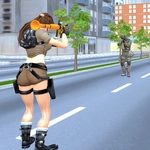
📝Lara Special Ops Overview
Lock, load, and roll straight into hostile territory where every corner hides a trigger-happy merc — can you keep Lara on her feet?
💬What is Lara Special Ops?
Forget everything you think about Lara. In this one she's not solving puzzles—she's clearing rooms with a rifle and a seriously useful combat roll. You move with WASD, jump with Space, and hit Q to dive out of incoming fire. It's fast, punishing, and surprisingly satisfying once you get the rhythm down.
The right mouse button lets you aim down sights, which feels almost mandatory when enemies start peeking from behind crates. Left click shoots, and E or 1 swaps your weapon. You'll want to switch often because ammo isn't infinite and some guns chew through it faster than you'd like. I died at least five times on one warehouse section because I tried to Rambo through instead of using cover and the roll. Q isn't just a dodge—it's a repositioning tool. Use it to break line of sight, then pop back up with a better angle.
The pacing is old-school: no health regen hand-holding, no cutscene interruptions every thirty seconds. Just you, a few magazines, and a lot of hostiles. It's not a massive budget title, but it doesn't need to be. If you like browser shooters that actually respect your aim and movement, this one will scratch that itch. Tab pauses when you need a breather.
👥How to Play Lara Special Ops
Controls:
• WASD to move
• Space to jump
• Q to roll
• E or 1 to change weapon
• Left mouse click to shoot
• Right mouse click to aim
• Tab to toggle pause
✨Game Tips
Aim down sights before peeking corners—right mouse gives you way better first-shot accuracy.
Roll with Q the moment a red laser or bullet trail gets close; it breaks enemy tracking.
Swap weapons with E or 1 instead of reloading in the middle of a firefight; switching is usually faster.
Don't stand still after jumping. Airborne shots are harder, but staying mobile keeps you alive.
Pause with Tab if you need to check controls or plan your next move.
Conserve rifle ammo for tougher enemies; use the pistol on low-tier grunts.
🔧FAQ
Q: Is Lara Special Ops free to play?
A: Yes, it's completely free in your browser—no subscription or hidden fees.
Q: Do I need to download anything to play Lara Special Ops?
A: No downloads. It runs directly in your web browser as an HTML5 game.
Q: Can I play Lara Special Ops on mobile or tablet?
A: Touch controls aren't officially supported, but many browsers let you play with an on-screen keyboard. Best on desktop.
Q: What are the default controls for Lara Special Ops?
A: WASD to move, Space to jump, Q to roll, E or 1 to switch weapons, left click to shoot, right click to aim, Tab to pause.
Q: Does Lara Special Ops save my progress?
A: It doesn't have a save system. Each run is a fresh mission, so expect to start over if you close the tab.
Q: Is Lara Special Ops suitable for younger players?
A: It's a shooting game with gun violence, though not graphic. Recommend for teens and up.