
Letter Dash
Play Count0
Published2024-04-30
Supported DevicesPC + Mobile
CategoryFun & Crazy
Rating★★★★★5.0Rate this game
📝Letter Dash Overview
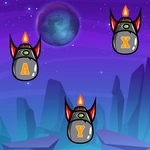
Smash letters as they rain down the screen — hit the right key before the timer eats your score alive.
💬What is Letter Dash?
I loaded up Letter Dash expecting a chill typing exercise. Thirty seconds later I was hunched over my keyboard, cursing at the letter Q. That's the kind of game this is — simple on paper, brutally addictive once the letters start speeding up. You've got a screen full of falling letters, and your only job is to hit the matching key on your keyboard (or tap the on-screen keys if you're on mobile) before they pile up or the timer runs dry.
The early levels lull you into a false sense of security. A few A's, maybe an E, no big deal. Then the game throws a Z at you, and your left pinky betrays you for the first time. That's the 'aha' moment: it's not about knowing the alphabet, it's about muscle memory and reflex. Miss too many letters and the timer drains faster; hit a perfect streak and you get a satisfying little speed boost. The difficulty ramps up in a way that feels fair, but you'll still find yourself restarting just to beat your own high score.
I kept coming back because it scratches the same itch as those old-school typing tutors, except without the boring paragraphs about foxes and lazy dogs. It's pure, twitchy fun. If you're on a laptop, turn off sticky keys — you will mash the Shift key by accident at least once. And yes, it works great in a browser tab when you're supposed to be doing something else.
👥How to Play Letter Dash
Tap on the letters on the keyboard, or press the key on your keyboard if you play on a PC.
✨Game Tips
Start with your fingers on the home row; reaching for letters costs precious milliseconds.
Don't look at the keyboard once you learn where the keys are — your eyes need to track the falling letters.
Tap the on-screen keys with both thumbs on mobile, but keep your fingers loose.
If you miss a letter, don't chase it; focus on the next one to stop the timer from bleeding.
Learn the letter patterns: common letters fall more often, so drill E, T, A, O, I, N.
Use the pause break between levels to shake out your hands — it gets tense.
🔧FAQ
Q: Is Letter Dash free?
A: Yes, Letter Dash is completely free to play in your browser with no hidden paywalls or subscriptions.
Q: Can I play Letter Dash on my phone?
A: Absolutely. The game has on-screen keys that work with taps, so mobile players can join in without a physical keyboard.
Q: Do I need to download Letter Dash?
A: No download needed. It runs directly in any modern web browser as an HTML5 game.
Q: What happens if I type the wrong letter?
A: The timer drops a bit and your streak resets, so accuracy matters as much as speed.
Q: Is Letter Dash good for improving typing speed?
A: It helps with key recognition and reflexes, though it's more about reaction time than proper touch typing technique.
Q: Can I play Letter Dash at school?
A: Since it's unblocked and browser-based, it usually works on school networks, but check your school's policy.