
Light It Up 2d
Play Count0
Published2021-04-28
Supported DevicesPC + Mobile
CategoryArcade & Classic
Rating★★★★★5.0Rate this game
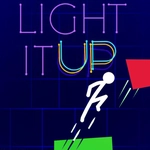
📝Light It Up 2d Overview
Trace a glowing circuit across dark shapes and watch every node ignite in this brilliantly tricky arcade puzzler.
💬What is Light It Up 2d?
I’ll admit, I started Light It Up 2d thinking it’d be a five-minute distraction. Twenty levels later, I was still hunched over the screen, cursing a tiny black triangle that refused to conduct electricity. The premise is dead simple: each level gives you a dark board with a few glowing power sources and a bunch of unlit bulbs. You draw lines—bright, crackling lines—from source to bulb, bending around obstacles and matching colors. But simple doesn’t mean easy.
The real trick is movement economy. Every line you draw counts, and there’s no eraser. On one especially cruel level, I had three red bulbs, two blue, and only one blue source. You can’t just loop everything together; you have to carve paths that don’t cross, because crossing shorts the circuit and the whole board resets. That’s when I realized the game is more about route planning than quick reflexes. It rewards patience and a weird kind of spatial foresight—like solving a maze where the walls are invisible until you bump into them.
Controls are as basic as they come: click or tap, drag, release. Keyboard only adds restart shortcuts, which you’ll use often. The difficulty ramps up nicely, introducing color-mixing, multi-source boards, and shapes with internal obstacles that force you to snake lines through narrow gaps. I never found a level that felt unfair, just ones where I had to sit back and rethink the whole board. If you like brain teasers that look like neon graffiti and feel like electric sudoku, this one’s a keeper.
👥How to Play Light It Up 2d
Use Mouse To Play and Keyboard
✨Game Tips
Plan the full route before clicking: one mistimed line will eat your move count.
Watch for colors: red bulbs need red current, so route matching colors separately.
Use the grid edges to make sharper bends without cutting through obstacles.
Don't ignore the small shapes; they sometimes act as connectors between bigger clusters.
If a level has multiple sources, light them in order from the most isolated bulb outward.
The hint button shows one correct segment, not the whole path, so use it when truly stuck.
🔧FAQ
Q: Is Light It Up 2d free to play?
A: Yes, the game is completely free in your browser with no paywalls or locked levels.
Q: Do I need to download anything to play?
A: No download needed. It runs instantly on any modern browser as an HTML5 game.
Q: Can I play Light It Up 2d on my phone?
A: Yes, the touch controls work well on mobile, though a mouse gives more precision for longer chains.
Q: What are the controls?
A: Use your mouse or finger to draw lines from power sources to bulbs. Keyboard shortcuts help restart levels.
Q: Does Light It Up 2d work offline?
A: You need an internet connection to load the game, but once loaded, it stays responsive without interruptions.
Q: Is this game suitable for kids?
A: Absolutely. There's no violence or time pressure, just logic puzzles that get progressively trickier.