
Linking Puzzles
Play Count0
Published2021-03-16
Supported DevicesPC + Mobile
CategoryArcade & Classic
Rating★★★★★5.0Rate this game
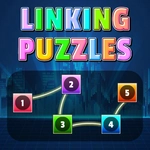
📝Linking Puzzles Overview
Pair up every colored dot on the grid, fill every square, and don't let your lines cross—this deceptively simple linker will eat your afternoon.
💬What is Linking Puzzles?
Linking Puzzles is the kind of game that seems laughably easy until you're three levels in and staring at a half-filled grid wondering where it all went wrong. You get a board with a handful of colored dots—two for each color—and your job is to draw a line from one to the other. Simple, right? Except every square on the board has to be used, no two lines can cross or share a cell, and the moment you block off a route you didn't notice, you're untangling spaghetti with your brain.
What hooked me wasn't the early warm-ups. It was the first time I confidently snaked a red line across the top, then a blue one down the side, and realized my green pair had zero room left. There's no redo timer or life counter—just you, an undo button if you're lucky, and a quiet grid that refuses to cooperate. The controls are pure mouse or touchpad: click a dot, drag, watch the path fill in. It feels tactile, almost like drawing on graph paper, and the satisfaction of completing a dense board with every cell lit up is weirdly meditative.
If you're after chaos or explosions, this isn't it. But if you like puzzles that punish sloppy thinking and reward patient routing, you'll keep clicking 'next level' long after you planned to stop. Just don't blame me when you dream about colored lines.
👥How to Play Linking Puzzles
Use mouse or touch pad to play this game.
✨Game Tips
Start with the pair that has the fewest possible paths—often the corners or edge dots.
Trace the outline of the board mentally first; edge cells are easier to block, so commit them early.
If a color can go multiple ways, don't draw it yet. Leave flexibility for the tighter pairs.
Use the undo button aggressively. There's no penalty for backtracking, only for guessing.
When stuck, erase your last drawn line and look for a route that hugs the wall or border.
On bigger boards, solve the edges first then spiral inward—it reduces dead-end traps.
🔧FAQ
Q: Is Linking Puzzles free to play?
A: Yes, it's completely free in your browser—no hidden paywalls or coin systems.
Q: Can I play Linking Puzzles on my phone or tablet?
A: Yes, the game works with touchscreen controls, so mobile play is smooth.
Q: Do I need to download anything to play?
A: No downloads. It runs right in your web browser as an HTML5 game.
Q: What if I get stuck on a level?
A: Try the undo button or restart the level. There's no penalty for retrying.
Q: Does Linking Puzzles save my progress automatically?
A: Progress may save in your browser cache, but clearing it can reset levels—keep that in mind.
Q: Are there any hints available in the game?
A: Hints depend on the specific version, but usually the undo and restart options are your best tools.