
LinksChallengPuzzle
Play Count0
Published2025-06-17
Supported DevicesPC
CategoryArcade & Classic
Rating★★★★★5.0Rate this game
📝LinksChallengPuzzle Overview
Can you untangle every node before the timer ticks down? LinksChallengPuzzle turns simple connections into a frantic race against your own mess.
💬What is LinksChallengPuzzle?
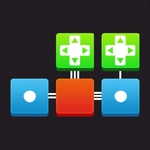
LinksChallengPuzzle looks deceptively calm at first. A grid of colored dots, a few blank spaces, and you tap one dot then drag to its matching partner. A line locks between them. Then another. And another. Before you know it, the board's a tangled net of paths, and you're staring at a pair of dots that now have no legal route because some earlier link boxed them in. That's the game's whole trick: every connection you make closes off possibilities for the ones you haven't made yet.
The arcade pressure comes from the clock and the board filling up. Early levels teach you to think two or three links ahead; later ones punish you for ignoring corners and edges. I got stuck on a stage with three green dots clustered on one side and a lone green dot on the other. The obvious straight line was impossible because it crossed a red line from a previous move. The solution? Route the green line all the way around the board's edge, using blank cells as a highway. That flip from 'obvious' to 'oh, I can go around' is where the game hooks you.
It's not a huge production, and that's fine. The mouse/tap controls are exact enough, the difficulty ramps fairly, and you can restart a level instantly when you paint yourself into a corner. If you like spatial puzzles that don't require a manual, this one delivers. Play a few rounds during a break; you'll either clear the board in an elegant sweep or curse at a blue dot for five minutes. Both happen.
👥How to Play LinksChallengPuzzle
Mouse click or tap to play
✨Game Tips
Start from corners and edges first—they have fewer options and force early pairs.
Double-check for blocked paths before committing a long link.
If stuck, undo or restart and try a different starting node; sometimes the first link determines everything.
Use the timer as a hint: if a level feels impossible, you're probably missing an obvious horizontal connection.
Tap nodes lightly—dragging too fast can mis-snap.
Clear isolated pairs early to reduce visual clutter.
🔧FAQ
Q: Is LinksChallengPuzzle free to play?
A: Yes, it runs free in your browser with no payment required.
Q: Can I play LinksChallengPuzzle on mobile?
A: Yes, tap controls work on phones and tablets.
Q: Do I need to download or install anything?
A: No download needed. It loads directly in a web browser.
Q: What if the game doesn't load?
A: Refresh the page or try a different browser like Chrome or Firefox.
Q: Is there a timer in each level?
A: Most levels include a timer, but you can retry instantly after failing.
Q: How do I restart a level?
A: Look for a restart or undo button on screen, or tap the level select menu.