
Lip Art - The Perfect Lipstick Makeup Game
Play Count0
Published2021-10-15
Supported DevicesPC + Mobile
CategoryGirls & Lifestyle
Rating★★★★★5.0Rate this game
📝Lip Art - The Perfect Lipstick Makeup Game Overview
Create flawless lip looks with matte, gloss, and shimmer finishes — then show them off in a glam photo-ready close-up.
💬What is Lip Art - The Perfect Lipstick Makeup Game?
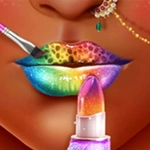
I wasn't expecting much from a lipstick game, but the color mixing here got me. You start with a blank pair of lips — realistic, not cartoonish — and you're handed a virtual lip brush with an alarming number of shades. Matte reds, shimmery nudes, weird holographic purples. The first time I dragged the brush across the lower lip and watched the color actually follow the contour, I stayed for another twenty minutes.
The trick is layering. You can outline with a darker pencil, fill with a cream, then tap on a gloss that catches light at the center of the bottom lip — the same trick real makeup artists use to make lips look fuller. Mist a little too much? There's a sponge tool that erases like a dream, so you can try six different looks before committing. Some levels ask for specific styles: a 'date night' look, a 'rock star' ombré, a 'flower power' design with tiny petals. That's where the 'art' part kicks in: you're not just painting, you're designing.
Don't let the pink menu fool you. It's relaxing in the way a good coloring app is, but with enough choice to keep you tinkering. There's no timer, no score, no wrong answer — which is exactly why I kept coming back when I needed ten minutes of brain-off creativity. If you've ever spent way too long picking a lipstick in real life, this is that feeling, minus the smudged mirror.
👥How to Play Lip Art - The Perfect Lipstick Makeup Game
Click or tap
✨Game Tips
Start with the lip liner tool to define the shape before filling in — it prevents color bleeding off the edges.
Use the sponge sparingly; it can erase too much if you swipe fast, so tap lightly for small fixes.
Mix a dark shade over a light base to create an ombré effect that looks surprisingly realistic.
Tap the gloss tool only on the center of the bottom lip for an instant plumping effect.
If a level asks for a specific style, check the example image first — sometimes the exact shade is hidden in the palette.
Don't rush through the color wheel; the shimmer shades look completely different once applied to the lips.
🔧FAQ
Q: Is Lip Art - The Perfect Lipstick Makeup Game free?
A: Yes, it's completely free to play in your browser with no hidden payments or premium locks.
Q: Can I play Lip Art on my phone or tablet?
A: Absolutely. The game uses touch controls, so it works smoothly on mobile browsers and desktop with a mouse.
Q: Do I need to download anything to start playing?
A: No downloads. It runs directly in your browser as an HTML5 game, so just click and play instantly.
Q: What's the goal in Lip Art?
A: There's no win or lose. You create lip makeup looks, follow style prompts, or just experiment with colors and finishes.
Q: Are there different lip shapes or skin tones available?
A: Yes, you can usually switch between lip models and sometimes adjust skin tone to see how shades look.
Q: Can I save or share my lip art creations?
A: Depends on the version, but many lip art games let you screenshot your finished look to keep or show friends.