
Little Panda Candy Shop
Play Count0
Published2024-04-24
Supported DevicesPC + Mobile
CategoryGirls & Lifestyle
Rating★★★★★5.0Rate this game
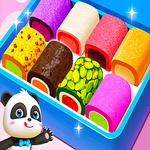
📝Little Panda Candy Shop Overview
A tiny panda just opened the sweetest candy shop in town, and she needs an extra pair of paws.
💬What is Little Panda Candy Shop?
You know that moment when three customers walk in at once and you're still trying to unwrap a lollipop? That's basically the whole game, and it's weirdly delightful. Little Panda Candy Shop drops you behind the counter of a pastel-colored store where the line never really stops moving. Tap or click to grab the right candy, drop it into a bag, and hand it over before the panda cub starts tapping her foot. I kept messing up the order with the striped peppermint sticks, but once I got the rhythm down, it felt like running a tiny, sugar-fueled assembly line.
What caught me off guard is how specific the requests get. A bear wants three gummy bears but absolutely no chocolate. A bunny orders a heart-shaped lollipop that you have to find on a shelf full of look-alikes. The game doesn't tell you anything beyond a picture and a number, so you're scanning, comparing, and second-guessing whether that red swirl is cherry or raspberry. There's no timer at first, but as you level up, the counter gets busier and the little panda starts glancing at the clock. It's simple, but the pressure builds in that cozy way where you're not stressed, just focused.
Underneath all the sprinkles, Little Panda Candy Shop is really a memory and matching game dressed up in a very cute apron. The visuals are bright but not blinding, the animations are bouncy without being annoying, and the satisfaction of sliding a perfectly filled candy bag across the counter is genuine. You won't find any deep strategy or hidden mechanics, but if you've got ten minutes and a craving for something light, this little shop hits the spot. I'd say it's ideal for younger players, but honestly, I'm a grown adult and I just spent twenty minutes arguing with myself over which pink candy was the bubblegum one.
👥How to Play Little Panda Candy Shop
Mouse click or tap to play
✨Game Tips
Watch the customer's speech bubble closely – it shows the exact candy, not just a vague shape.
Tap the candy once to pick it up, then tap the bag to drop it in; double-tapping the candy will just waste time.
If you grab the wrong item, there's a small trash bin near the counter to clear it without starting over.
The striped candies and the solid ones look similar from the corner of your eye, so always check the pattern before tapping.
Keep an eye on the queue at the door – if three customers are waiting, you need to speed up or they'll walk out.
On mobile, use a stylus if you have one; the candies are small and your finger might block the view.
🔧FAQ
Q: Is Little Panda Candy Shop free?
A: Yes, the game is completely free to play in your browser with no hidden costs.
Q: Can I play Little Panda Candy Shop on my phone?
A: Yes, it works on mobile browsers using touch controls – just tap the screen to interact.
Q: Do I need to download anything to play?
A: No downloads are required. It runs directly in your browser using HTML5.
Q: What age group is this game best for?
A: It's designed mainly for younger kids and casual players, but anyone can enjoy the simple matching fun.
Q: How do I control the game?
A: Just click or tap with your mouse or finger. No keyboard needed.
Q: Does Little Panda Candy Shop save my progress?
A: It saves your current level in the browser, but clearing cookies will reset your progress.