
Lock
Play Count0
Published2021-07-20
Supported DevicesPC + Mobile
CategoryArcade & Classic
Rating★★★★★5.0Rate this game
📝Lock Overview
Tap when the spinning ring lines up with the slot, hold your breath, and feel that tiny snap of satisfaction as the lock clicks open.
💬What is Lock?
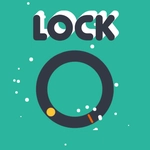
One ring, one notch, one tap. Lock is deceptively simple: a ring spins around a fixed core, and your only job is to tap the screen at the exact moment the notch and the pin meet. That's it. Sounds trivial, right? Then you try it and realize the window is maybe three degrees wide, and the ring speeds up every time you clear a level. I lost track of how many times I swore I had it lined up, tapped a fraction too late, and watched the ring snap back like it was personally offended.
The lack of fluff is what makes it work. No lives, no timers, no story cutscenes — just you versus a rotating piece of metal and your own twitch reflexes. The visual feedback is oddly satisfying: a clean click, a small flash, and the next lock materializes with slightly more rings, or a reversed rotation, or a moving pin. Each new pattern forces you to adjust. Sometimes you'll wait for two full rotations just to internalize the rhythm. Other times you'll go by pure instinct and surprise yourself. That's the addictive loop — the game quietly teaches your thumb to feel time instead of measuring it.
If you're the type who likes those old 'stop the spinning arrow' arcade machines, this scratches the same itch with zero quarters needed. It runs smooth in a browser tab, loads instantly, and punishes hesitation just enough to keep you coming back. My only complaint? There's no undo. But honestly, that's the point. Lock doesn't care about your excuses.
👥How to Play Lock
Tap on screen to play
✨Game Tips
Watch the full rotation once before tapping; the speed often changes after each level.
Tap a hair earlier than feels natural — your reaction time is slower than you think.
If multiple rings appear, line up the outer one first, then the inner; they don't all need to be perfect at once.
Breathe out slowly as the gap approaches; it keeps your finger steadier.
Don't chase a missed tap. Let the ring complete its turn and reset your eyes.
Turn off any browser zoom or page scrolling; accidental swipes can ruin a good run.
🔧FAQ
Q: Is Lock free?
A: Yes, it's completely free to play in your browser, no account or payment needed.
Q: Can I play Lock on mobile?
A: Absolutely. The tap controls work great on touchscreens, and the screen fits any phone size.
Q: Do I need to download anything?
A: No downloads. Just open the game page and tap the screen to start.
Q: Why does the ring reset after I tap?
A: You likely tapped just outside the tiny alignment window. Timing is everything.
Q: Is Lock unblocked at school?
A: Usually yes. This version runs on HTML5 and bypasses most network filters.
Q: Can I pause the game?
A: There's no pause button. The rounds are short, so you can restart instantly after a miss.