
Lof Parking
Play Count0
Published2021-06-21
Supported DevicesPC + Mobile
CategoryArcade & Classic
Rating★★★★★5.0Rate this game
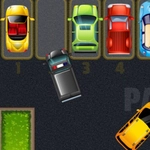
📝Lof Parking Overview
Think parallel parking is stressful? Lof Parking hands you arrow keys and expects you to slide into spots tighter than a jar lid.
💬What is Lof Parking?
Lof Parking doesn't mess around with fancy menus or unlockable cars. You get a car, a parking space, and a bunch of walls or other vehicles that would love to scratch your paint. The controls are basic—arrow keys to accelerate, brake, steer—but the game punishes even a tiny tap. I remember a level where the spot was behind a pillar and you had to reverse in at a weird angle; took me six tries before I stopped clipping the curb. That's the charm: it's simple to pick up, frustrating to master, and weirdly satisfying when you finally nail a clean park.
Each level adds a new twist—tighter spaces, moving obstacles, maybe a timer if you're unlucky. The difficulty curve feels fair at first, then suddenly you're doing a three-point turn in a space smaller than the car itself. The collision detection is strict, which is either infuriating or exactly what a parking game needs. On mobile, the touch buttons are responsive enough, though keyboard is definitely the way to go if you want precise control. I found myself holding my breath during the last few inches of every maneuver, which is a sign the game is doing its job.
Despite the basic presentation, Lof Parking has that 'one more try' pull. It won't win awards for graphics, but the sense of accomplishment after a perfect park is real. If you like driving games that test your spatial awareness and patience, this one will eat your lunch break. Just don't expect a tutorial—you'll figure out the turning radius the hard way.
👥How to Play Lof Parking
On Touch-Screen devices you can use buttons to drive the car. On all devices with keyboards, you can use arrow keys to drive the car .
✨Game Tips
Tap the reverse key lightly instead of holding it—short bursts give you more control.
Line up your approach before entering the spot; correcting mid-park usually causes a bump.
Use the edges of the screen as reference points to judge your car's position when reversing.
Don't rush the timer if there is one—a clean slow park beats a fast crash.
On mobile, rest your thumb on the touch button instead of tapping for smoother steering.
🔧FAQ
Q: Is Lof Parking free to play?
A: Yes, it's completely free in your browser.
Q: Can I play Lof Parking on my phone?
A: Yes, touch buttons are available for driving on touch-screen devices.
Q: Do I need to download anything to play Lof Parking?
A: No download needed; just open the game in a web browser.
Q: What are the controls for Lof Parking?
A: Use arrow keys on a keyboard or on-screen buttons on mobile to drive and steer.
Q: Does Lof Parking have multiple levels?
A: Yes, each level introduces tighter parking spots and new obstacles.
Q: Is there a time limit in Lof Parking?
A: Some levels may include a timer, but the focus is on precision parking.