
Logic Islands
Play Count0
Published2025-06-30
Supported DevicesPC + Mobile
CategoryPuzzle & Thinking
Rating★★★★★5.0Rate this game
📝Logic Islands Overview
Stare down a blank grid and ask: which cells become land, which become sea? Logic Islands won't tell you—you'll figure it out or restart.
💬What is Logic Islands?
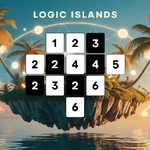
Logic Islands drops you onto a blank grid with nothing but a few numbers and a hunch. Each cell can be land or sea, and the goal is to carve out islands that match those numbers exactly. I spent my first ten minutes just clicking around, realizing that the double-click fill tool is your best friend when you accidentally paint half the board the wrong color.
The controls are dead simple on purpose: click toggles, double-click floods a connected area with your current brush, and the mouse wheel cycles between island and wall. Z yanks back your last mistake, R resets the whole mess. On a phone, a tap toggles and a double-tap fills — but I still fat-fingered a few cells when the grid got dense.
What hooked me is how the puzzles ratchet up without needing a tutorial. You learn the logic through trial and error: a 2 in a corner can only mean one thing, a wall that's about to form a 2x2 block is illegal, and an island that's too big is screaming to be trimmed. It's the kind of game you open for five minutes and suddenly your coffee's cold. Give it a shot if you like Picross or anything where the answer is right there, just hidden under a layer of 'what if'.
👥How to Play Logic Islands
On PC:
Click to toggle cells between island/wall.
Double-click or Ctrl+click to fill connected areas.
Mouse wheel or Space to switch draw modes.
Z to undo, R to restart.
On mobile:
Tap to toggle.
Double-tap to fill areas.
✨Game Tips
Double-click (or double-tap on mobile) to fill all connected cells with the same state — saves a ton of time when marking large islands.
Use Z to undo after a misclick; it's faster than manually toggling back a bunch of cells.
Watch for 2x2 wall blocks — they break the rules and will usually make the puzzle impossible.
Switch draw modes with mouse wheel or Space to avoid constantly re-clicking the toolbar.
If an island already matches its number, mark every adjacent cell as wall immediately.
On tricky levels, start from the corners; numbers there have fewer possible shapes.
🔧FAQ
Q: Is Logic Islands free to play?
A: Yes, it's completely free in your browser. No paywalls or downloads needed.
Q: Can I play Logic Islands on my phone?
A: Absolutely. The touch controls work well — tap to toggle cells, double-tap to fill areas.
Q: Do I need to download anything to play Logic Islands?
A: No, it runs in any modern browser as HTML5. Just load the page and start clicking.
Q: What are the basic controls for Logic Islands on PC?
A: Click toggles island/wall, double-click fills connected areas, mouse wheel or Space changes draw mode, Z undoes, R restarts.
Q: Is there a way to undo mistakes in Logic Islands?
A: Yes, press Z on PC or use the undo button on mobile. You can also restart the whole puzzle with R.
Q: Is Logic Islands good for beginners to logic puzzles?
A: Yes, the early levels teach the core rules through simple grids. It ramps up slowly.