
Logic Pro – Neon Edition
Play Count0
Published2026-01-29
Supported DevicesPC + Mobile
CategoryArcade & Classic
Rating★★★★★5.0Rate this game
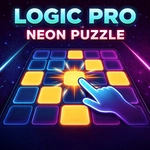
📝Logic Pro – Neon Edition Overview
One tap flips a tile and its neighbors—reverse-engineer the hidden neon pattern before your brain turns to static.
💬What is Logic Pro – Neon Edition?
I'll admit, I almost dismissed this as another tile-flipping time waster. Then the third level happened — a 5x5 grid where every tap sent a chain reaction through three other tiles, and I spent a solid ten minutes undoing my own mess. Logic Pro – Neon Edition is basically Lights Out with a synthwave makeover. You get a board of glowing squares, some lit, some not. Tap one and it flips, along with its up/down/left/right neighbors. Your job is to turn every single tile off (or sometimes to match a target pattern shown in the corner).
That sounds simple until you realize order matters massively. Because tapping a tile twice is the same as not tapping it at all, every puzzle becomes about finding the minimal set of taps. I found myself working backwards from the edges — corners have only two neighbors, so they're the anchor points. One level had me stuck for ages because I kept trying to brute force it, but when I finally mapped out which tiles needed an odd number of taps, the whole thing clicked. The neon glow pulses when you solve it, which feels like a tiny synthwave concert.
Levels ramp up from casual 3x3 grids to monstrous 7x7 boards with wrap-around edges. No timer, no move counter, just you and the grid. It's the kind of game you open during lunch and accidentally lose forty minutes to. Perfect for anyone who likes puzzles that make you feel smart rather than fast.
👥How to Play Logic Pro – Neon Edition
Click or tap on a tile to toggle it ON or OFF.
Tapping a tile also toggles its neighboring tiles.
Use your mouse on desktop or touch on mobile devices. Use help section for more.
✨Game Tips
Start from corners: they flip fewer tiles, so you can isolate effects.
Work backwards from the edges—tiles on the border have fewer neighbors.
Tap a tile twice and you've undone your tap; it cancels out.
Use the help section to see the target pattern clearly before starting.
If stuck, reset the board and approach from a new corner.
🔧FAQ
Q: Is Logic Pro – Neon Edition free to play?
A: Yes, it's completely free in your browser. No downloads or payments needed.
Q: Can I play Logic Pro – Neon Edition on mobile?
A: Yes, the game supports touch controls. Just tap the tiles on your phone or tablet.
Q: Do I need to download any software?
A: No, it runs right in your web browser. Just visit the site and start playing.
Q: How do I reset a level if I get stuck?
A: Use the reset button usually found near the board. It restarts the current puzzle.
Q: Does Logic Pro – Neon Edition work offline?
A: No, you need an internet connection to load the game from the website.
Q: Are there different difficulty levels?
A: Yes, puzzles range from small 3x3 grids up to larger 7x7 boards with wrap-around edges.