
Logo Memory Challenge: Cars Edition
Play Count0
Published2022-09-01
Supported DevicesPC + Mobile
CategoryPuzzle & Thinking
Rating★★★★★5.0Rate this game
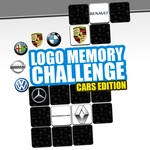
📝Logo Memory Challenge: Cars Edition Overview
Hit the showroom mentally: flip the tiles, lock in each car logo, and prove you know your badges faster than a pit crew.
💬What is Logo Memory Challenge: Cars Edition?
I'll admit, I thought I knew car logos until I fired up Logo Memory Challenge: Cars Edition. That's the trap. The first couple of rounds lull you into thinking it's just a casual flip-and-match, but then the grid expands, the badges start looking similar—Mercedes' tri-star versus Mitsubishi's three diamonds?—and suddenly you're second-guessing which BMW roundel you saw two tiles back. The game adapts by throwing more pairs at you as you clear stages, and the timer pressure turns a relaxing puzzle into a mental sprint.
The mechanic is simple: tap a card, see the logo, tap another. If they match, they vanish and you pocket a little dopamine hit. If not, they flip back and you burn a few precious seconds. The real skill isn't just memory; it's spatial indexing. I found myself muttering positions under my breath—'Honda top-left, Audi bottom-right'—like a rally co-driver. That's the aha moment: you stop seeing logos and start seeing coordinates. And when you nail a perfect combo on a 6x6 grid without a miss, it feels like popping the clutch on a clean downshift.
The Cars Edition focuses on automotive brands only, which keeps the theme tight. No random fruit or emojis. If you're a gearhead, you'll appreciate the little details like the grille shape on a Kia or the shield of a Lamborghini. It's a quick brain warm-up that eats your lunch break, and I kept coming back just to beat my own time. Perfect for when you want a challenge that doesn't require reflexes or a controller.
👥How to Play Logo Memory Challenge: Cars Edition
Use your memory to find and pair logos.
✨Game Tips
Say it under your breath: naming the position + logo as you flip locks it in better than just staring.
Watch out for lookalike roundels—Mercedes, Mitsubishi, and even Subaru can blur together at speed.
Start from the corners and work inward. Edge tiles stick in your memory more easily than center ones.
If you're stuck, flip a tile you haven't seen in a while. Guessing from stale memory wastes time.
On larger grids, do a slow first sweep to map the board before making any match attempts.
🔧FAQ
Q: Is Logo Memory Challenge: Cars Edition free to play?
A: Yes, it's completely free in your browser. No account or payment required.
Q: Can I play it on my phone or tablet?
A: Absolutely. It runs on any device with a modern browser, including phones and tablets.
Q: Do I need to download anything or install an app?
A: No download needed. Just open the page and it starts instantly as an HTML5 game.
Q: Does the game work on a school Chromebook?
A: Yes, works fine on school Chromebooks as long as you can access the site.
Q: How many levels or grids does it have?
A: The game increases the number of logo pairs as you progress, but there's no hard level cap.
Q: Is there a timer I can turn off?
A: The timer is built in and can't be disabled, but you can ignore it if you just want to practice.