
Mad Cars Racing and Crash
Play Count0
Published2022-02-02
Supported DevicesPC
CategoryDriving & Racing
Rating★★★★★5.0Rate this game
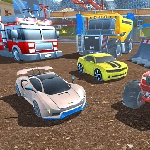
📝Mad Cars Racing and Crash Overview
Trade paint, dodge oncoming traffic, and slam rivals into barriers in a nitro-fueled crash derby on wheels.
💬What is Mad Cars Racing and Crash?
You know that moment when you're in third place, the finish line's in sight, and the only thing between you and victory is the guy who just tried to spin you out? That's Mad Cars Racing and Crash in a nutshell. It's a stripped-down arcade racer that cares more about fender-bending chaos than realistic tire wear. You pick a car, hit the gas, and immediately start trading paint with whoever's unlucky enough to share the road.
The controls are simple but the physics aren't forgiving. Player one uses arrows or WASD, and you'll want to keep a finger near right shift for nitro. Player two can hop in on the same keyboard with WASD and left shift. The camera toggle with C is a nice touch because sometimes you need a wider view of the pileup you're about to cause. I discovered that slamming your nose into a rival's rear quarter panel right as they turn can send them into a wall, and that's the kind of move that makes you cackle. Nitro is best saved for straightaways, though; hit it mid-corner and you'll fly off the track like a shopping cart.
It's not going to win awards for graphics or car modeling, but honestly, that's not the point. This is the game you load up when a friend says 'one more race' and neither of you actually stops. The two-player mode on one keyboard works better than it has any right to, though both of you leaned over the same keys does get cramped. Still, I kept coming back to see if I could land a perfect T-bone at the first intersection. You will too.
👥How to Play Mad Cars Racing and Crash
Player 1 Controls
Move: "ARROW KEYS" or "WASD"
Nitro: "Right Shift"
Camera View :"C"
Player 2 Controls
Move: "WASD"
Nitro: "Left Shift"
✨Game Tips
Save your nitro for a long straight, not the first corner.
Tap the brake and turn hard to whip your back end around for a quick block.
Use C to switch camera if you keep getting blindsided from behind.
In two-player, agree on who gets the arrow keys before the race starts.
Aim for the rear wheels of a rival to spin them without wrecking yourself.
The first corner is a graveyard; hang back for half a second and pass the wreckage.
🔧FAQ
Q: Is Mad Cars Racing and Crash free?
A: Yes, it's completely free to play right in your browser.
Q: Can I play Mad Cars Racing and Crash on mobile?
A: It works best with a keyboard, but most mobile browsers can run it with touch controls.
Q: Do I need to download anything to play?
A: No download needed. Just load the page and you're racing.
Q: Can two people race on the same computer?
A: Yes, player one uses arrow keys, player two uses WASD. Both can use their own shift key for nitro.
Q: What does the nitro button do?
A: Nitro gives you a burst of speed. Use it on straight roads, not corners.
Q: My car keeps crashing. Any advice?
A: Brake early before turns and only use nitro when the road is clear ahead.