
Madness Driver Vertigo City
Play Count0
Published2024-03-27
Supported DevicesPC
CategoryAction & Fighting
Rating★★★★★5.0Rate this game
📝Madness Driver Vertigo City Overview
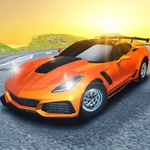
Strap in, grab a second player, and see who can survive the chaotic streets of Vertigo City without flipping your ride into a neon sign.
💬What is Madness Driver Vertigo City?
You know that feeling when you and a friend both grab the same keyboard and immediately start trash-talking? Madness Driver Vertigo City was built for that exact scenario. It's a local two-player driving brawl where the only goal is to outlast, outdrive, and out-crazy the other person sitting right next to you. The neon-drenched city feels like it was designed by someone who really hates stable vehicles — every ramp, every ledge, every hairpin turn is an invitation to disaster.
Controls are simple but the chaos is not. Player 1 gets WASD (or arrow keys in solo mode), Player 2 takes the arrow keys. Both have a nitro boost, a look-back button, and — most importantly — a restart key. You'll need that restart key roughly every fifteen seconds. I lost count of how many times I hit a jump at full nitro, overshot the landing, and ended up wedged between a billboard and a fire escape. The nitro is genuinely useful if you save it for straightaways or big jumps, but if you tap it mid-turn, you're basically asking to spin out into oncoming traffic. The physics are loose and floaty, which sounds like a complaint but it's exactly what makes the game fun. It's not about racing clean — it's about surviving longer than your opponent while the city tries to kill you both.
What keeps me coming back is the sheer unpredictability. One match, my buddy side-swiped me off a rooftop ramp just as I hit my nitro, and the resulting cartwheel took out a row of parked cars like dominos. The next match, we both got stuck in a narrow alley and had to reverse out while honking at each other. It's stupid, it's messy, and it's exactly what a couch co-op game should be. If you don't have a second player, the solo mode still works — you can drive around and practice your stunts, but the real madness only starts when someone else is sitting beside you, fighting over the same keyboard space.
👥How to Play Madness Driver Vertigo City
Player 1:
Move: W, A, S, D or ARROW KEYS(1P Mode)
Nitro: L-SHIFT
Restart: R
Look back: T
Player 2:
Move: ARROW KEYS
Nitro: R-SHIFT
Restart: O
Look back: P
✨Game Tips
Save your nitro for long straight sections or big ramp launches — using it mid-corner almost always ends in a spinout.
Use the look-back key (T for P1, P for P2) to check if your opponent is about to ram you from behind.
Learn the restart buttons by heart. You will use them constantly, and reflexes save time.
In two-player mode, try to corner your friend into narrow alleys where they can't reverse out easily.
Don't fight the loose physics — let the car drift and use small steering corrections instead of full lock.
If you're playing solo, practice landing jumps at full nitro on the widest streets before taking on the tighter routes.
🔧FAQ
Q: Is Madness Driver Vertigo City free to play?
A: Yes, it's completely free to play in your browser with no hidden fees or premium unlocks.
Q: Do I need to download anything to play?
A: No downloads needed. Just open the game page and it runs directly in your web browser.
Q: Can I play Madness Driver Vertigo City on mobile?
A: It works best on a desktop or laptop with a keyboard. Mobile touch controls are not supported.
Q: How many players can join at once?
A: Two players can play locally on the same keyboard, or one player can go solo.
Q: What are the controls for Player 1?
A: Player 1 uses WASD or arrow keys to move, L-Shift for nitro, R to restart, and T to look back.
Q: What are the controls for Player 2?
A: Player 2 uses the arrow keys to move, R-Shift for nitro, O to restart, and P to look back.