
Magic Dash
Play Count0
Published2021-03-31
Supported DevicesPC
CategoryAction & Fighting
Rating★★★★★5.0Rate this game
📝Magic Dash Overview
Grab a friend, pick a wand, and dash through a magical obstacle course where one wrong flick sends you flying.
💬What is Magic Dash?
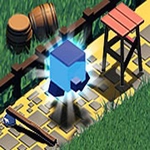
Magic Dash is pure local multiplayer mayhem. One of you grabs the mouse, the other hogs the keyboard, and suddenly you're both trying to out-dash each other through a gauntlet of spinning barriers, disappearing platforms, and cheeky spell pickups. The mouse player flicks to dash and cast, which feels surprisingly twitchy and precise. The keyboard player taps arrow keys or WASD to move and a separate key to boost — it's a bit like a two-button racer but with way more sabotage potential.
The best part? The spell pickups. You'll grab a speed boost, a shield, or a nasty little hex that reverses your opponent's controls for three seconds. I once hexed my friend right before a jump gap — he walked straight off the edge and I'm still laughing about it. The game doesn't care about fairness; it cares about making you yell at the person sitting next to you. There's no online mode, no AI, just the two of you on one keyboard (or mouse) trading wins and excuses.
Replay value comes from the short rounds and the pure spite factor. It's not a deep game — you'll see all the obstacle types in the first ten minutes — but the head-to-head tension keeps it fresh. If you've got a sibling or a roommate who thinks they're better at games than you, this is the two-player dash that settles the argument. Just don't blame me when the hex lands at the worst possible moment.
👥How to Play Magic Dash
Use Mouse To Play and Keyboard
✨Game Tips
Master the mouse flick timing early — a half-second hesitation on a dash will send you into the spikes.
Keyboard player: keep your pinky on the boost key, not your index finger, so you can still steer while accelerating.
Grab the hex power-up whenever you see it, but wait until your opponent is mid-jump before triggering the reversal.
The shield blocks one collision, so save it for the section with the spinning barriers rather than wasting it early.
If you're losing, stick close to your opponent's tail — the slight rubber-banding means you'll catch up faster than you think.
Don't just focus on speed; the disappearing platforms punish greedy dashes, so time your moves with the platform cycle.
🔧FAQ
Q: Is Magic Dash free to play?
A: Yes, the game is completely free in your browser — no hidden paywalls or coin packs.
Q: Can I play Magic Dash on mobile?
A: The game is designed for keyboard and mouse, so mobile play is not recommended because two-player controls won't fit on one touchscreen.
Q: Do I need to download anything to play Magic Dash?
A: No downloads or installs. It runs directly in any modern browser as an HTML5 game.
Q: How many players does Magic Dash support?
A: Exactly two players on the same device — one uses the mouse, the other uses the keyboard.
Q: What are the controls for Magic Dash?
A: The mouse player moves and dashes by flicking or clicking; the keyboard player moves with WASD or arrow keys and boosts with Space or Shift.
Q: Can I play Magic Dash with a friend online?
A: No, there is no online multiplayer. Both players must share the same computer screen.