
Magic Piano Beat Tiles
Play Count0
Published2022-11-22
Supported DevicesPC + Mobile
CategoryFun & Crazy
Rating★★★★★5.0Rate this game
📝Magic Piano Beat Tiles Overview
Tap the black tiles in perfect rhythm and keep the melody flowing before the piano drops dead silent on you.
💬What is Magic Piano Beat Tiles?
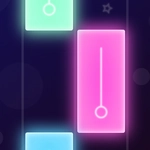
I don't care how many rhythm games you've played — the first time you tap a tile in Magic Piano Beat Tiles and the note actually lands, your brain does a little double take. It sounds like you're playing the piano, not just hitting buttons. The tiles slide down in columns, each one a black key on a glowing track, and your job is to smack them before they vanish off the bottom. Miss one and the song stutters to a stop. There's no forgiving combo meter here; one wrong tap ends the run.
What got me hooked is how the difficulty creeps up without you noticing. The early levels let you find the rhythm, but soon the tiles are coming in bursts, sometimes two at once, and you're doing that panicked thumb dance on your phone screen. On desktop, a mouse click feels precise but almost too slow if you're not warming up. The real test is when the song hits a fast arpeggio and your hand starts moving before your brain catches up — that's the moment you either laugh or throw the mouse.
It's the kind of game you tell yourself you'll play for five minutes, then suddenly twenty have gone by. No fluff, no menus stacked with power-ups. Just you, the melody, and the ever-looming threat of silence. If you've got decent reflexes or just want an excuse to feel like a concert pianist without any actual lessons, this one's worth a run.
👥How to Play Magic Piano Beat Tiles
Play our piano game and enjoy the piano music like the professional pianist.
✨Game Tips
Play with sound on—rhythm cues matter more than seeing tiles late.
Keep your eyes slightly above the bottom edge so the next tile enters your peripheral vision early.
On mobile, rest your thumb flat and use the whole pad rather than poking with the tip.
If a run ends, replay the same song immediately; muscle memory from the first attempt makes the second feel slower.
Don't chase missed tiles; once you're out of sync, let the run die and start fresh instead of panic tapping.
Use headphones if you can, especially for faster tracks where the beat is the only thing keeping you on time.
🔧FAQ
Q: Is Magic Piano Beat Tiles free to play?
A: Yes, it's completely free in your browser with no downloads or hidden fees.
Q: Can I play Magic Piano Beat Tiles on my phone?
A: Absolutely. The game works on mobile browsers and responds to touch controls.
Q: Do I need to install anything to play Magic Piano Beat Tiles?
A: No installation is required. Just open the page and start tapping the tiles.
Q: What happens if I miss a tile in Magic Piano Beat Tiles?
A: The song stops and your run ends immediately. You'll have to start that track again.
Q: Does Magic Piano Beat Tiles get faster as I play?
A: Yes, the tile speed increases as the song progresses, especially during intense sections.
Q: Can I choose different songs in Magic Piano Beat Tiles?
A: The game usually includes several tracks, but availability may vary depending on the version.