
Magic Pony Jigsaw
Play Count0
Published2021-12-01
Supported DevicesPC + Mobile
CategoryGirls & Lifestyle
Rating★★★★★5.0Rate this game
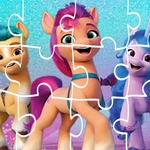
📝Magic Pony Jigsaw Overview
Drag, swap, and fit pastel pony pieces until a magical scene whispers into focus.
💬What is Magic Pony Jigsaw?
Look, I've played a million jigsaw games on my phone while waiting for the bus. Most of them are boring. Magic Pony Jigsaw caught me off guard because the artwork actually feels special. You get these dreamy pony images — unicorns, sparkles, rainbows — and the pieces aren't just flat puzzle bits. They snap together with a soft little click that feels oddly rewarding. I spent way too long trying to match the gradient on a unicorn's mane, and when the last piece clicked in, the whole picture shimmered. That's the moment I knew I'd be coming back.
What makes it different from other jigsaw puzzles is how laid-back the whole thing is. There's no timer, no score pressure, no penalties. You just pick an image, decide how many pieces you want, and start dragging. The controls are stupid simple — mouse or tap, that's it. I've seen my little cousin play it for twenty minutes straight without asking for help, which says something. The pictures are colorful enough to keep a kid's attention but not so childish that an adult feels weird playing. Honestly, it's the kind of game you open when you need to zone out for five minutes and your brain just wants to sort shapes.
For a free browser game, Magic Pony Jigsaw runs clean. No ads popping up every ten seconds, no lag when you drag a piece across the screen. The piece rotation feature (if you have it on) adds a nice little challenge, but you can turn it off if you just want to relax. I'd recommend starting with the 12-piece mode to get a feel for the art, then jumping to 48 pieces when you want a real workout. It's not a game that tries to be anything more than a chill puzzle, and that's exactly why it works.
👥How to Play Magic Pony Jigsaw
Mouse or tap to play.
✨Game Tips
Sort edge pieces first — the straight sides build your frame fast.
The sparkle on the horn is the brightest spot; anchor that piece early.
Keep the preview image open in a second tab if you're stuck on a pastel gradient.
Drag a pile of similar pieces to the side and scan them one by one.
Turn on sound; the soft 'click' when a piece lands right saves you from visual confusion.
If there's a rotate option, tap pieces twice to flip them mentally before dropping.
🔧FAQ
Q: Is Magic Pony Jigsaw free?
A: Yes, it's completely free to play in your browser with no hidden charges.
Q: Can I play Magic Pony Jigsaw on my phone?
A: Yes, the game uses tap controls and works smoothly on mobile browsers.
Q: Do I need to download anything to play Magic Pony Jigsaw?
A: No downloads. Just open the game page and start playing immediately.
Q: Is Magic Pony Jigsaw suitable for young kids?
A: Absolutely. The pony theme and simple drag-and-drop controls are kid-friendly.
Q: Does Magic Pony Jigsaw have different difficulty levels?
A: Yes, you can usually choose the number of pieces, from easy to challenging.
Q: Can I play Magic Pony Jigsaw without an internet connection?
A: You need internet to load the game, but after loading it may run offline briefly.