
Magic Shards
Play Count0
Published2022-11-10
Supported DevicesPC
CategoryAction & Fighting
Rating★★★★★5.0Rate this game
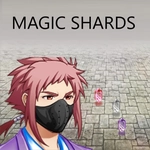
📝Magic Shards Overview
Melt enemy hordes with three swappable magic shards while you dodge incoming fire and auto-blast the nearest threat.
💬What is Magic Shards?
Magic Shards drops you into a tight arena where glowing projectiles crisscross the screen and every enemy wants you dead. You control a small mage who auto-fires at the nearest threat, but the real skill comes from landing your manual clicks—each shot you place by hand hits exactly where you aim, which matters more than you'd think when a beefy enemy is about to corner you.
The three shards are the heart of the game. Number 1 is a rapid peashooter that barely scratches but keeps pressure on. Number 2 feels like a shotgun blast—devastating up close, useless at range. Number 3 is the sniper shard: slow, pierces through multiple enemies, and can clear a lane if you line it up right. I kept swapping between 2 and 3 depending on whether I was kiting a crowd or picking off a distant caster. The auto-aim helps when things get chaotic, but you'll still die a lot if you rely on it alone.
There's a tense rhythm to the fights—dodging a spiral of red orbs while your own shards pepper the screen, then a sudden click when you switch to the burst shard and erase three enemies at once. It's not a long game, but every run feels different because the enemy patterns force you to reposition constantly. If you like twitchy arena shooters with a bit of magic flair, this one will eat an afternoon.
👥How to Play Magic Shards
W,A,S,D for moving.
Mouse to aim.
Auto shoots the nearest enemy. Also click for shooting where you aim.
Num 1,2,3 for switching shards.
✨Game Tips
Circle strafe constantly—enemy projectiles fire in straight lines and will punish anyone standing still.
Don't sleep on manual clicking. Auto-aim picks the nearest enemy, but sometimes the nearest is a low-priority grunt while a caster charges a big shot.
Number 2 (the spread shard) is your best friend in tight corners—bait enemies into chokepoints before switching.
Save the piercing shard for lined-up groups; one well-placed shot clears more than spraying.
Watch your movement keys more than your crosshair. Staying alive is half the battle.
If you're overwhelmed, run along the arena edge and let auto-fire chip away while you focus on dodging.
🔧FAQ
Q: Is Magic Shards free to play?
A: Yes, it's completely free in your browser. No hidden fees or premium upgrades.
Q: Do I need to download anything to play Magic Shards?
A: No downloads needed. It runs on HTML5, so just open the page and start playing.
Q: Can I play Magic Shards on mobile?
A: The game uses keyboard and mouse controls, so desktop or laptop is recommended. Touchscreens may not work well.
Q: What are the controls for Magic Shards?
A: WASD to move, mouse to aim, click to shoot manually. Press 1, 2, or 3 to switch between the three magic shards.
Q: Does Magic Shards have multiplayer?
A: No, it's a single-player game. You fight waves of enemies alone.
Q: Can I change the difficulty in Magic Shards?
A: There's no difficulty setting, but the game naturally gets harder as you survive longer. Each run is a fresh challenge.