
Mao Mao: How to Draw Adorabat
Play Count0
Published2021-12-10
Supported DevicesPC + Mobile
CategoryArcade & Classic
Rating★★★★★5.0Rate this game
📝Mao Mao: How to Draw Adorabat Overview
Grab a stylus, steady your hand, and trace every swooping line until Mao Mao's hyperactive sidekick Adorabat pops off the page.
💬What is Mao Mao: How to Draw Adorabat?
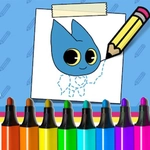
There's something oddly satisfying about a drawing game that doesn't just hand you a blank canvas but walks you through every line. Mao Mao: How to Draw Adorabat gives you the outline, the order, and the timing—you just supply the hand-eye coordination. You'll tap or drag along dotted guides, watch the step counter tick up, and before long Adorabat's round body and tiny stubby wings start to click into place. The whole process feels less like a tutorial and more like a guided doodle session with a friend who actually knows how to draw.
My first attempt was rough. I was so focused on tracing perfectly that I tensed up, and the cursor wobbled all over the place—her ears came out like bent toothpicks. Then I realized the game isn't grading you on sub-pixel accuracy. Short, relaxed strokes work way better, especially around those huge expressive eyes that give Adorabat her manic energy. There's a moment when you finish the final line and the drawing just snaps into a clean, colored character. That little payoff kept me coming back to try the harder details again.
Controls are as simple as it gets: mouse or keyboard, follow the introduction, and don't rush. Kids will manage fine, but even adults who think they can't draw will surprise themselves. Because the steps are broken down so small, you never feel lost. If you mess up, just click undo (or start the step over) and go again. The color palette stays true to the show's bright, slightly chaotic style—Adorabat's blue body and yellow mask pop once you finish. It's the kind of low-stakes, high-charm game that fits perfectly between homework sessions or when you need five minutes of creative zen.
👥How to Play Mao Mao: How to Draw Adorabat
Use Mouse or keyboard To Play and Follow the introduction
✨Game Tips
Use short, confident strokes instead of one long drag—your lines will look cleaner.
Focus on the eyes first; they anchor the whole expression.
If you wobble, undo right away instead of trying to correct over the top.
Keep a light grip on the mouse to avoid jittery lines on small details.
Take a screenshot when you finish—the final colored version is genuinely share-worthy.
🔧FAQ
Q: Is Mao Mao: How to Draw Adorabat free?
A: Yes, it's completely free to play with no hidden charges.
Q: Do I need to download anything?
A: No downloads required. It runs directly in your browser.
Q: Can I play on mobile?
A: Yes, touch controls work if your browser supports them.
Q: Do I need drawing skills?
A: Not at all—the step-by-step guides make it easy for beginners.
Q: What if I make a mistake?
A: Use the undo option or restart the current step without penalty.
Q: Is this game safe for kids?
A: Yes, it's family-friendly with no violence or inappropriate content.