
Mario Driving Coloring Book
Play Count0
Published2020-02-25
Supported DevicesPC + Mobile
CategoryArcade & Classic
Rating★★★★★5.0Rate this game
📝Mario Driving Coloring Book Overview
Grab your crayons — Mario's behind the wheel and the outline is blank, so it's up to you to fill in every red cap and blue overall.
💬What is Mario Driving Coloring Book?
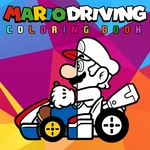
There's something oddly relaxing about seeing Mario's kart as a blank outline and knowing you can make the tires neon pink if you want. The game loads like those old flash coloring pages, but it's HTML5 and runs fine in a browser. You'll see a palette on one side and a black-and-white driving scene on the other. Click a color, then click a section of the drawing, and it fills instantly. No messy crayon shavings. The lines are thick enough that you won't rage-quit over a pixel, but small details like the steering wheel or the exhaust pipe might need a steady hand on a touchscreen.
I spent way too long trying to get Luigi's hat just right (he's in the passenger seat in one of the scenes, I swear). Then I realized I could go full rainbow on the kart body and nobody could stop me. That's the fun here — it's not timed, there's no score, and the only pressure is whatever you invent. It's the kind of thing to open during lunch, color half a picture, then close the tab with zero guilt. If you've got a kid nearby, hand them the mouse; the tap-to-fill mechanic is forgiving enough for small fingers. Just remember the "undo" button if there is one, because I never found it and had to cover a mistake with an even darker blue.
👥How to Play Mario Driving Coloring Book
Use mouse or tap to screen.
✨Game Tips
Pick the biggest sections first — hood, roof, wheels. They set the base color and make the small details easier later.
If you're on mobile, zoom in before coloring the tiny exhaust pipe or Mario's glove.
Don't be afraid to mess with the colors. The game doesn't judge, and sometimes a green kart looks cooler.
Try alternating warm and cool colors on the background shapes so Mario's red cap actually stands out.
If a section won't fill, check that you've selected a color and not the eraser tool, if there is one.
Save a screenshot when you're done — it's the only way keep your masterpiece.
🔧FAQ
Q: Is Mario Driving Coloring Book free to play?
A: Yes, it's completely free in your browser. No paywall or coins required to unlock colors or scenes.
Q: Can I play it on my phone or tablet?
A: It works on any device with a modern browser. Tap the screen to choose colors and fill sections.
Q: Do I need to download or install anything?
A: No download needed. Just open the game page and it loads instantly as HTML5.
Q: Is this game safe for young kids?
A: Yes, there's no violence, reading, or timers. It's just coloring, so even toddlers can tap around.
Q: Does it save my colored pictures?
A: The game usually doesn't auto-save your art. Take a screenshot if you want to keep your finished page.
Q: Can I play offline after loading it once?
A: It needs an internet connection each time because it runs through your browser. No offline mode.