
Master Tetris 3D
Play Count0
Published2022-08-26
Supported DevicesPC
CategoryArcade & Classic
Rating★★★★★5.0Rate this game
📝Master Tetris 3D Overview
Stack blocks in three dimensions, twist them with a click, and watch entire layers vanish in that oh-so-satisfying line clear.
💬What is Master Tetris 3D?
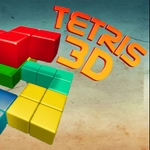
Most Tetris clones flatten the puzzle into a single plane. Master Tetris 3D throws that out and gives you a full volume to fill. You rotate pieces across all three axes, which means a simple L-block can suddenly become a bridge over a hole or a plug for the back wall. The camera sits at a fixed angle, so you quickly learn to read shadows and edges to judge depth. That first time you slide a long bar into a slot on the far side and watch three layers pop at once? Genuinely dopamine-inducing.
The strategy is fundamentally different from the classic. In 2D Tetris you worry about horizontal rows. Here you're clearing entire cross-sections of a cube. That changes how you prioritize pieces. Leaving a single block sticking up in one corner can block three possible clearing planes, and the game will punish you for it. I kept coming back because every loss felt like my fault—I saw exactly where I overcommitted or spun a piece the wrong way. The controls take a few minutes to click, but once you can rotate mentally without thinking, the pace picks up nicely.
It runs straight in your browser, no downloads, and the keyboard-only setup keeps it clean. Don't expect power-ups or story. It's just you, the grid, and the ever-rising tower of blocks. If you want a Tetris variant that actually makes your brain work in a new dimension, this is the one to boot up during lunch.
👥How to Play Master Tetris 3D
Use keyboard to play
✨Game Tips
Rotate pieces on all axes before placing—sometimes a vertical flip is the only way to fill a deep slot.
Focus on clearing entire layers, not just the front face; a messy back wall will sink you fast.
Use the shadow or grid guides (if available) to judge depth before committing a piece.
Don't hoard the long bar; in 3D it's often better used to immediately flatten a protruding section.
Slow down after a clear—the new gaps appear in odd places, and rushing leads to overhang.
Practice spinning pieces mid-air; mastering which keys flip which way saves crucial seconds.
🔧FAQ
Q: Is Master Tetris 3D free to play?
A: Yes, it runs free in any modern browser with no payment or account required.
Q: Can I play Master Tetris 3D on mobile?
A: The game is designed for keyboard, so mobile touch isn't supported. A physical keyboard or desktop browser works best.
Q: Do I need to download anything?
A: No downloads. Just open the page in Chrome, Firefox, or Edge and start stacking.
Q: Is Master Tetris 3D harder than normal Tetris?
A: Yes, the extra depth axis adds complexity. Expect a learning curve before you can reliably clear multiple layers.
Q: What are the keyboard controls?
A: Use arrow keys to move and rotate. Check the in-game instructions for exact rotation keys, as they may vary.
Q: Can I pause or restart quickly?
A: Yes, most versions let you pause with P and restart with R. Look for on-screen hints if those don't work.