
Maya and the Three Jigsaw Adventure
Play Count0
Published2023-03-30
Supported DevicesPC + Mobile
CategoryGirls & Lifestyle
Rating★★★★★5.0Rate this game
📝Maya and the Three Jigsaw Adventure Overview
Snap vibrantly illustrated scenes from Maya's journey into place and watch each puzzle bloom into a full adventure.
💬What is Maya and the Three Jigsaw Adventure?
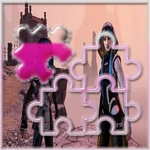
I've burned through plenty of jigsaw games that feel like digital busywork, but Maya and the Three Jigsaw Adventure actually got its hooks in me. You pick a scene from the show—Maya mid-battle, the trio sneaking through a temple, that gorgeous underworld skyline—and then the image shatters into pieces. Your job is simple: click or tap a piece, drag it to the right spot, and wait for that tiny, satisfying snap when it locks. No timers, no penalties. Just you and a pile of colorful fragments.
What kept me coming back wasn't just the nostalgia factor, though that's strong. The cutscene-style artwork translates perfectly into puzzle form: bold outlines, deep blues and fiery oranges, expressive faces frozen mid-action. Each completed puzzle reveals a scene more detailed than you remembered. You'll start with edge pieces because that's jigsaw 101, but after a while you learn to group by color—Maya's red tunic, Chimi's pale fur, the golden glow of the gods. There's a quiet logic to it that soothes your brain after a chaotic day.
The difficulty ramps up gently. Early puzzles might be 12 pieces, later ones stretch past 60. You can shuffle the tray, preview the finished image, and zoom in on tricky corners. It's not a puzzle that punishes mistakes; you can drop a piece anywhere and it just sits there, waiting. I found myself doing one puzzle before bed, then three, then "just one more." If you like animated adventure shows and need a low-key way to unwind, this is a no-brainer.
👥How to Play Maya and the Three Jigsaw Adventure
Mouse click or tap to play.
✨Game Tips
Start with corner and edge pieces; they'll give you the frame and cut the search space way down.
Group pieces by dominant color before you start placing them; Maya's red outfit and the sky background separate fast.
Use the preview image often—don't be afraid to peek, it saves you from guessing wrong.
Zoom in on tight areas like faces and emblems; a single off-pixel can block a full section.
If a piece feels stuck, try rotating your mental map; sometimes the texture direction tells you orientation.
Take on smaller piece counts first to learn each scene's palette, then replay with more pieces.
🔧FAQ
Q: Is Maya and the Three Jigsaw Adventure free to play?
A: Yes, it's completely free on our site with no hidden paywalls or trial limits.
Q: Can I play Maya and the Three Jigsaw Adventure on mobile?
A: Absolutely. The game uses touch-friendly controls, so it runs great on phones and tablets.
Q: Do I need to download anything to play?
A: No downloads needed. It loads right in your browser using HTML5.
Q: Is the game suitable for kids?
A: Yes, the puzzles are non-violent and family-friendly, with bright cartoon visuals.
Q: Can I pause and resume a puzzle later?
A: Your progress is saved automatically for each scene, so you can pick up where you left off.
Q: Are there different difficulty levels?
A: Yes, you can choose from multiple piece counts, from easy to challenging.