
Maze Balance
Play Count0
Published2021-11-01
Supported DevicesPC
CategoryArcade & Classic
Rating★★★★★5.0Rate this game
📝Maze Balance Overview
Can you keep your cool when every wrong move sends your ball tumbling into the void? Guide it through a maze that tilts and shifts under your control.
💬What is Maze Balance?
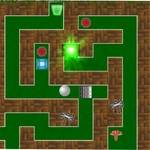
I won't lie — I lost count of how many times the ball hovered on the edge, wobbled, then plummeted into nothing. Maze Balance is one of those games that looks simple until you're twenty attempts deep and your palm is sweating on the W key. The setup is familiar: a 3D maze made of narrow paths, a shiny ball, and a whole lot of gravity waiting to ruin your afternoon. Your job is to tilt the entire maze using W, A, S, and D, rolling the ball from start to finish without letting it drop off the side.
The tricky part isn't remembering the controls — it's learning to finesse them. Tap too hard and the ball launches into a wall, bounces, and then teeters over the edge with a lazy little spin that feels personal. Tap too soft and you'll sit there rocking back and forth like a boat in a storm, going nowhere. There's a level with a bridge barely wider than the ball itself, and the maze tilts just enough that you'll swear the physics engine is mocking you. That's where I discovered my favorite trick: instead of trying to roll straight across, I nudged the ball along the wall like a crutch. It worked. Until it didn't.
What keeps me coming back is the rhythm. Once you stop fighting the tilt and start reading the slopes, it becomes almost meditative — right up until a surprise hole opens up or a corner comes faster than you expected. No timer, no enemies, just you versus geometry. If you're into games that make failure feel like a dare rather than a punishment, this one earns its place in the arcade lineup.
👥How to Play Maze Balance
Move: W, A, S, D
✨Game Tips
Tap the keys gently rather than holding them down — sudden tilts are how balls go flying.
Hug the walls on tight turns; they act like bumpers and keep you from slipping off.
If the ball starts rocking back and forth, stop tilting and let it settle before moving on.
Look two steps ahead. Where the ball is going matters more than where it is right now.
Restart quickly after a fall. There's no penalty except your own pride.
On steep slopes, alternate between opposite keys to slow your descent instead of free-falling.
🔧FAQ
Q: Is Maze Balance free to play?
A: Yes, it's completely free on our site with no hidden charges or ads blocking gameplay.
Q: Can I play Maze Balance on my phone or tablet?
A: The game is designed for keyboard controls, so mobile play isn't supported. Use a desktop or laptop with a keyboard.
Q: Do I need to download anything to play?
A: No downloads needed. Maze Balance runs directly in your browser as an HTML5 game.
Q: What are the controls for Maze Balance?
A: Use W, A, S, and D to tilt the maze. W tilts away from you, S toward you, A left, and D right.
Q: Is there a way to pause or restart a level quickly?
A: Most versions let you press R to restart or Esc to pause, but check the game's pause menu for options.
Q: Is Maze Balance suitable for kids?
A: Yes, it's family-friendly with no violence or scary content, though younger players may find it frustratingly difficult.