
MCCraft 2 Player
Play Count0
Published2024-07-16
Supported DevicesPC + Mobile
CategoryAction & Fighting
Rating★★★★★5.0Rate this game
📝MCCraft 2 Player Overview
Grab a friend and dig through blocky caves together to hunt down every coin and hidden chest before the other team catches on.
💬What is MCCraft 2 Player?
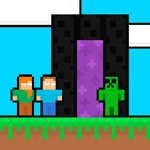
I'll be honest—I clicked on this expecting a cheap Minecraft knockoff, but the split-screen chaos won me over fast. MCCraft 2 Player drops you and a buddy into blocky, cave-like levels where the goal is simple: find every chest, grab every coin, and don't get lost on the way. Player 1 moves with WASD, Player 2 with the arrow keys, and if you're on a phone, you both get touch pads. The screen doesn't scroll; it's a single shared view, so coordination matters more than reflexes. You'll be shouting 'left, left, no your other left' within a minute.
The levels aren't huge, but they loop and twist enough to make you double back. Chests hide in little alcoves behind dirt blocks, coins line precarious jumps, and there's no combat—just pure collection. I found that splitting up early works best: one player heads high, the other digs low. If someone falls, the other can still finish, which saves a lot of frustration. It's not a long game, but for a free browser co-op, it's tight and surprisingly replayable. Don't sleep on it just because it looks like Minecraft with the serial numbers filed off.
One thing that surprised me: the hitbox for coin pickup is generous, so you don't need pixel-perfect jumps. That keeps it fun instead of finicky. The block-breaking is satisfying too—tap a block a few times and it pops, which opens shortcuts. Just watch out for the ceiling; sometimes a chest is hidden above a short wall that only one player can reach by jumping from a friend's head. Yes, you can stand on each other. That's the kind of tiny detail that makes you grin.
👥How to Play MCCraft 2 Player
*Played with WASD + Arrow Keys.
*Mobile touch control is available
*Find the chests and collect all the coins
✨Game Tips
Split up at the start—one player goes low, the other high, so you don't double back.
Don't waste time breaking every block; focus on visible coin paths and suspicious alcoves.
Stand on your friend's head to reach chests tucked above short walls.
If you fall in a pit, the other player can still finish the level, so don't restart.
On mobile, use the touch pads instead of tilting—they're way more precise for jumps.
Communicate before opening a chest, because both players share the coin count and need to coordinate.
🔧FAQ
Q: Is MCCraft 2 Player free to play?
A: Yes, it's completely free in your browser with no hidden fees.
Q: Can I play MCCraft 2 Player on my phone?
A: Yes, mobile touch controls are built in, so it works on phones and tablets.
Q: Do I need to download anything to start playing?
A: No downloads needed—just open the game page and it runs instantly.
Q: Can I play MCCraft 2 Player by myself?
A: It's designed for two players, so you'll need a friend or use both sets of controls yourself.
Q: What are the keyboard controls?
A: Player 1 uses WASD, Player 2 uses Arrow Keys. On mobile, touch pads appear on screen.
Q: Is there online multiplayer?
A: No, it's local co-op only—both players share the same keyboard or screen.