
Melon Jump
Play Count0
Published2024-04-02
Supported DevicesPC + Mobile
CategoryArcade & Classic
Rating★★★★★5.0Rate this game
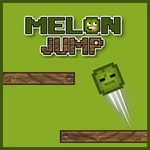
📝Melon Jump Overview
One tap sends a bouncy melon hurtling toward the next platform — miss the timing by a hair and that melon's nothing but juice on the pavement.
💬What is Melon Jump?
Melon Jump strips the platformer down to a single action: click or tap to leap. Your melon doesn't drift left or right — it just bounds straight up, and you decide when. That sounds too simple until the gaps start moving. Early platforms are wide and forgiving, maybe there's a green slice flying by that gives you a second bounce if you nab it. By level 20 you're threading the needle between a spinning razor blade and a ledge the width of a dinner plate. I died three times on one late jump because I kept tapping a split-second early. The game doesn't punish you with a long reset, though — you're back at the bottom of the screen in under a second, already grinning.
Each successful landing gives a little squash and stretch that makes even a five-jump streak feel like winning a small lottery. There's no story, no unlockable skins that change gameplay — just pure arcade timing. I appreciate that it doesn't pad the experience with fake difficulty. Instead, hazards rotate in and out with pattern changes that force you to relearn the rhythm every half-minute. One moment you're counting beats to clear a triple spike, the next you're reacting to a platform that collapses the instant you land. It's jump rope for your thumbs.
On desktop the mouse click is responsive enough for twitch play, but honestly touch controls on a phone are where this shines. Your thumb obscures nothing important, and the tap latency feels near zero. If you're stuck on a hard section, try playing the first ten levels with your eyes closed after you've memorized the pattern — weird, but it trains your internal clock. That's the kind of stupid trick real players discover.
👥How to Play Melon Jump
Use Mouse for desktop and Touch Controls for mobile device
✨Game Tips
["Tap slightly before you think you need to — the melon's hitbox is smaller than its rind.","Lock your eyes on the platform's edge, not the hazard above it.","If a pattern feels impossible, mute the audio and rely on visual rhythm alone.","Skip the floating fruit on early runs unless it sits directly in your path.","Use short, sharp clicks instead of long presses — holding can over-jump your target.","Restart instantly if your first jump is off by a pixel; don't waste the run."]
🔧FAQ
Q: Is Melon Jump free to play?
A: Yes, Melon Jump is completely free — no hidden paywalls or forced ads before you can start.
Q: Can I play Melon Jump on my phone?
A: Absolutely. The touch controls are just as responsive as a mouse click, maybe even better for quick taps.
Q: Do I need to download anything?
A: No download needed. It runs right in your browser as an HTML5 game.
Q: What are the controls for Melon Jump?
A: On desktop, click the mouse to jump. On mobile, tap the screen. That's it.
Q: Is Melon Jump suitable for younger kids?
A: Yes, there's no violence or scary content — just a fruit trying not to fall into gaps.
Q: Can I play Melon Jump offline?
A: You need an internet connection to load the game, but once it's open it uses very little data.