
Miami Car Racing
Play Count0
Published2022-01-04
Supported DevicesPC
CategoryAction & Fighting
Rating★★★★★5.0Rate this game
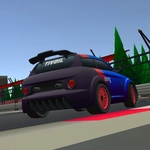
📝Miami Car Racing Overview
Race your friend head-to-head through neon-lit Miami streets where one wrong turn sends you flying off the causeway.
💬What is Miami Car Racing?
Two cars, one keyboard, zero mercy. Miami Car Racing drops you and a friend onto a sun-soaked track with palm trees blurring past and a boost button begging to be abused. The split-screen setup means you'll be shoulder-to-shoulder, but don't expect any cooperation. Player 1 uses arrows, Player 2 uses WASD, and both have their own camera keys that will absolutely disorient you mid-drift.
The handbrake isn't just a button; it's a lifeline. Tap it at the wrong moment and you'll spin out like a shopping cart, but nail it on a hairpin and you'll feel like a drift god. And when you inevitably clip a guardrail, the respawn key is your best friend — because the game won't hold back. I found myself mashing P and TAB more than I'd like to admit, especially when my friend rammed me off the bridge.
It's not a sim, and it doesn't pretend to be. The cars handle with arcade floatiness, the neon signs blur past, and the two-player rivalry turns every lap into a grudge match. You'll argue about who boosted first. You'll both complain about the camera. And you'll immediately hit rematch. That's the whole point.
👥How to Play Miami Car Racing
Player 1
To Move: Arrow Keys
Camera Control: Press J, K, L
Boost: N
Respawn: P
Hand Brake: Space
Player 2
To Move: W, A, S, D
Camera Control: C, V, B
Boost: F
Respawn: TAB
Hand Brake: Left Shift
✨Game Tips
- Master the handbrake before you touch the boost; losing control wastes more time than a slow corner.
- Player 2's camera keys (C, V, B) are easy to fat-finger; ignore them during tight turns.
- Boost on straightaways right after a clean exit, not mid-curve — you'll just introduce yourself to the wall.
- If you flip or get stuck, hit respawn immediately; the other player won't slow down for you.
- Watch your friend's screen while you drive; split-screen means you can read their mistakes and capitalize.
- The leftmost lane on the causeway has fewer obstacles; use it to set up overtakes.
🔧FAQ
Q: Is Miami Car Racing free to play?
A: Yes, it's completely free in your browser — no hidden fees or paywalls.
Q: Can I play Miami Car Racing on mobile?
A: The split-screen keyboard controls are designed for desktop. Mobile play isn't supported.
Q: Do I need to download anything to play Miami Car Racing?
A: No downloads. The game runs directly in your web browser as HTML5.
Q: Can I play Miami Car Racing alone?
A: It's built for two players on one keyboard, so grab a friend. No single-player mode is available.
Q: What are the controls for Miami Car Racing?
A: Player 1 uses arrow keys, boost with N, handbrake Space. Player 2 uses WASD, boost F, handbrake Shift.
Q: Why does my car keep spinning out in Miami Car Racing?
A: You're likely tapping handbrake too hard on turns. Light taps and earlier braking will keep you straight.