
Miami Car Stunt
Play Count0
Published2022-01-04
Supported DevicesPC
CategoryAction & Fighting
Rating★★★★★5.0Rate this game
📝Miami Car Stunt Overview
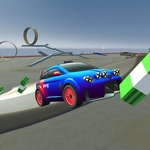
Two cars, one ramped-up Miami skyline, and zero rules—who can pull off the wilder stunt without wrecking first?
💬What is Miami Car Stunt?
The first thing you notice is the skyline—palm trees, neon, and ramps pointing at weird angles off every rooftop. Miami Car Stunt drops two drivers into that sandbox and basically says, "impress me." Player one uses arrow keys, player two uses WASD. Both have camera controls tied to their own set of keys, which takes a second to learn but makes sense after the first barrel roll.
I spent half an hour just trying to land a clean 360 off the marina ramp. You'll grab boost with N or F depending on your side, slam the handbrake mid-air to rotate, and pray the wheels find pavement before the roof does. Respawn is your best friend—P and TAB—because the physics are floaty enough for huge air but unforgiving when you clip a palm tree at full speed. The split-screen setup means you're always stealing glances at the other player's line, which is where the real competition kicks in.
Don't expect licensed cars or a career mode. This is a pick-up-and-play stunt toy for two people on the same keyboard. Bring a friend, agree on a spot, and take turns trying to outdo each other's flips. The camera angles—J, K, L and C, V, B—let you orbit mid-air to spot your landing, which feels surprisingly good once you get the timing. If you're solo, it's still decent for goofing around, but the two-player mode is the entire point.
👥How to Play Miami Car Stunt
Player 1
To Move: Arrow Keys
Camera Control: Press J, K, L
Boost: N
Respawn: P
Hand Brake: Space
Player 2
To Move: W, A, S, D
Camera Control: C, V, B
Boost: F
Respawn: TAB
Hand Brake: Left Shift
✨Game Tips
Use the handbrake mid-air to control your rotation and stick landings that would otherwise wreck instantly.
Boost only on open straight sections—hitting N or F right before a ramp sends you farther but harder to control.
Set camera angles with J, K, L (P1) or C, V, B (P2) before you launch, not after you're already spinning.
Respawn with P or TAB the moment you clip a building; waiting wastes time and your rival will pass you.
Play near the Marina district ramps first—the wider landing zones are more forgiving while you learn the physics.
🔧FAQ
Q: Is Miami Car Stunt free to play?
A: Yes, it's completely free in your browser with no downloads or sign-ups.
Q: Can I play Miami Car Stunt on mobile?
A: The game is designed for desktop keyboard controls, so mobile isn't recommended.
Q: Do I need to download anything to play?
A: No downloads needed. It runs as an HTML5 game directly in your web browser.
Q: How do two players play on the same computer?
A: Player 1 uses arrow keys and J/K/L, while Player 2 uses W/A/S/D and C/V/B on the same keyboard.
Q: Can I play Miami Car Stunt alone?
A: Yes, you can drive solo and practice stunts, but the two-player split-screen mode is where it shines.
Q: Is there a way to change the camera view?
A: Yes, each player has their own camera keys to rotate the view around the car.