
Minecraft Coloring Pages
Play Count0
Published2022-01-25
Supported DevicesPC + Mobile
CategoryArcade & Classic
Rating★★★★★5.0Rate this game
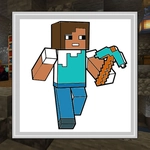
📝Minecraft Coloring Pages Overview
Grab a crayon and bring blocky Minecraft scenes to life—creeper faces, diamond swords, and cozy biomes are all waiting for your custom palette.
💬What is Minecraft Coloring Pages?
So this isn't actual Minecraft, no mining or crafting here. It's exactly what the title says: a stack of line-art pages ripped straight from the blocky universe, waiting for color. You pick a page, tap a color from the bottom bar, then click or tap any outlined region to fill it. Simple, but weirdly addictive. I loaded it up for a minute and ended up coloring a creeper face neon pink just because I could.
The blocky aesthetic actually works brilliantly for coloring. Those sharp pixel edges mean you never have to worry about straying outside the lines—every segment is a closed shape. The palette has enough shades to make Steve look like a superhero or a zombie, your call. No timers, no scores, no creepers blowing up your progress. Just you and a grid of colors. The mouse or touch controls respond instantly, so it's perfect for a quick brain break between classes or meetings.
If you're a Minecraft fan, you'll recognize the iconic characters and structures. If you're just looking for a chill way to kill ten minutes, this does the job without demanding anything from you. It's free, unblocked, and runs right in your browser. I wouldn't call it deep gameplay, but there's a quiet satisfaction in turning a blank creeper into a rainbow nightmare. Kids will love it, adults might secretly enjoy it too.
👥How to Play Minecraft Coloring Pages
Use mouse or touch the screen.
✨Game Tips
Start with the biggest background areas first—they set the mood and make smaller details pop later.
Use contrasting colors for adjacent regions so your finished page doesn't turn into a muddy mess.
Try coloring the same page twice with completely different palettes; you'll be surprised how much the vibe changes.
If you're on mobile, zoom in a bit before tapping tiny sections to avoid mis-taps.
Don't ignore the grays and browns—they give Minecraft scenes that authentic dirt-and-stone feel.
There's no undo button, so if you hate a color choice, just click it again with a new shade or reload the page.
🔧FAQ
Q: Is Minecraft Coloring Pages free?
A: Yes, it's completely free to play in your browser with no hidden charges.
Q: Can I play Minecraft Coloring Pages on mobile?
A: Yes, the touch controls work on phones and tablets without any extra setup.
Q: Do I need to download anything?
A: No downloads or installations. Just open the game page and start coloring immediately.
Q: How do I change colors?
A: Click or tap any color in the palette at the bottom, then click the area you want to fill.
Q: Is this game related to actual Minecraft?
A: It's not the official Minecraft game, just coloring pages inspired by its characters and biomes.
Q: Can I save my finished coloring page?
A: The game doesn't have a save feature, but you can take a screenshot to keep your artwork.