
Minecraft Noob vs Zombies 3
Play Count0
Published2022-06-23
Supported DevicesPC + Mobile
CategoryAction & Fighting
Rating★★★★★5.0Rate this game
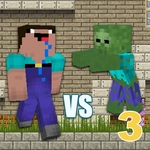
📝Minecraft Noob vs Zombies 3 Overview
Lock and load, noob—waves of blocky zombies are clawing at your base, and only fast fingers and smart weapon swaps will keep you alive.
💬What is Minecraft Noob vs Zombies 3?
You're a lone noob with a pistol and a handful of other weapons, standing on a floating platform while blocky zombies shuffle in from both sides. Minecraft Noob vs Zombies 3 is a wave-based survival shooter that looks like a Minecraft parody and plays like a frantic arcade holdout. Move with arrow keys, jump with space, shoot with C, and tap 1-5 to swap weapons. That's the whole control scheme—but surviving past wave six takes more than button mashing.
I lost count of how many times I died on wave five because I refused to switch off the shotgun. The shotgun feels great up close, but its fire rate is glacial compared to the pistol's endless pew-pew when you spam C fast. Then I discovered the trick: use the pistol to thin out weak zombies, save the shotgun for clusters that get too close, and keep the rocket launcher for the big armored bruisers. Ammo drops are stingy, so every shot matters. Zombies don't just walk—they hop, crawl, and occasionally sprint from unexpected angles, which forces you to keep moving instead of camping in a corner.
The art is pure blocky nostalgia: creeper-green faces, blocky limbs, and particle effects that pop with each kill. It won't win any visual awards, but it's satisfying in a dopamine-hit way. Since it runs in any browser, I've been sneaking in quick sessions between tasks. Word of warning: the later waves spawn so many zombies that your finger will ache from tapping C. That's not a flaw—it's the point. If you want a fast, free, unblocked zombie shooter that doesn't require a download or a powerful PC, this one hits the spot.
👥How to Play Minecraft Noob vs Zombies 3
Use the arrow keys on the keyboard or touch controls.
Arrow keys to move, space bar to jump and the letter "C" to shoot.
Buttons 1-5 select weapon.
✨Game Tips
Switch to pistol for weak zombies to save shotgun ammo.
Don't camp in corners—zombies drop from above later.
Save the rocket launcher for armored bruisers.
Tap C rapidly instead of holding it for higher DPS.
Jump over low zombies to kite them into clusters.
Prioritize ammo drops over chasing far-away zombies.
🔧FAQ
Q: Is Minecraft Noob vs Zombies 3 free to play?
A: Yes, it's completely free in your browser—no hidden fees or premium unlocks.
Q: Can I play Minecraft Noob vs Zombies 3 on mobile?
A: Yes, the HTML5 version supports touch controls for moving, jumping, and shooting.
Q: Do I need to download anything to play?
A: No download needed. It runs directly in Chrome, Firefox, Edge, or Safari.
Q: What are the controls for switching weapons?
A: Press number keys 1 through 5 on your keyboard, or tap the weapon icons on touch devices.
Q: Is there a way to save my progress or high score?
A: The game uses local saves in your browser, so your best wave is remembered on that device.
Q: Why does my character die so fast on later waves?
A: Armored zombies spawn after wave five. Use stronger weapons and stay mobile.