
Minecraft Parkour Block
Play Count0
Published2022-06-27
Supported DevicesPC + Mobile
CategoryAction & Fighting
Rating★★★★★5.0Rate this game
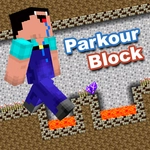
📝Minecraft Parkour Block Overview
Leap between pixelated blocks suspended over a void in Minecraft Parkour Block, and see if your reflexes can survive until the end.
💬What is Minecraft Parkour Block?
Minecraft Parkour Block strips parkour down to its bones: you, a handful of floating cubes, and a void that's always hungry. There's no crafting, no mining, no creepers — just pure jumping. You spawn on a block, look to the next one, and pray your spacebar timing is as good as you remember. The visuals are straight out of Minecraft's blocky universe, but the real star is the movement. It's floaty and forgiving until it isn't. One moment you're chaining jumps like a pro, the next you've nudged the arrow key a hair too far and you're watching the world shrink below you.
What keeps me coming back is how fast failure resets. Fall, respawn at the last checkpoint, try again. No loading screens, no penalties. That loop is dangerous — I told myself 'one more attempt' about forty times last night. The levels get creative too: moving platforms, crumbling blocks, and jumps that demand you hug the very edge of a cube. There's a specific moment late in a level where you have to make a diagonal jump onto a block barely wider than your character. I missed it maybe a dozen times before landing it, and the little burst of satisfaction was worth every fall.
The controls are simple: arrow keys move, spacebar jumps. On touch devices you'll get on-screen buttons. That's all you need. Minecraft Parkour Block doesn't pretend to be anything other than what it is — a test of patience and pixel-perfect platforming. And honestly? That's exactly why it works.
👥How to Play Minecraft Parkour Block
Use the arrow keys on your keyboard or touch controls. Arrow keys to move, space bar to jump
✨Game Tips
Tap space lightly for short hops—holding it longer makes you jump farther.
Look for checkpoint flags; they'll save you from restarting the whole level.
Don't sprint off the edge; time your jumps from a standstill to avoid overshooting.
Some blocks crumble after you touch them, so keep moving.
Use the arrow keys to fine-tune your landing spot mid-air.
🔧FAQ
Q: Is Minecraft Parkour Block free?\nA: Yes, it's completely free to play in your browser.
Q: Can I play Minecraft Parkour Block on mobile?\nA: Yes, touch controls appear automatically on phones and tablets.
Q: Do I need to download anything?\nA: No download needed—just open the page and start jumping.
Q: What are the controls for Minecraft Parkour Block?\nA: Use arrow keys or WASD to move, and spacebar to jump.
Q: Does Minecraft Parkour Block have checkpoints?\nA: Most levels include checkpoint flags that save your progress after you reach them.
Q: Why do I keep falling off the blocks?\nA: You're likely holding jump too long or moving too fast—try shorter taps and smaller adjustments.