
MineGuy: Unblockable
Play Count0
Published2020-11-23
Supported DevicesPC
CategoryAction & Fighting
Rating★★★★★5.0Rate this game
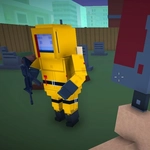
📝MineGuy: Unblockable Overview
Sprint, slide, and slow-mo your way through voxel firefights where every block can hide an enemy or a rocket.
💬What is MineGuy: Unblockable?
The first time I hit T for slow-mo while a creeper-looking thing charged me, I knew MineGuy: Unblockable wasn't just another Minecraft clone. You move through blocky arenas with WASD, sprint with Left Shift, crouch with Left Ctrl, and go prone with X. Left mouse fires, right mouse aims or blocks — and that hybrid input takes a second to feel natural, but once it clicks, you're pulling off duck-and-cover plays that feel genuinely tense. Grenades on G and melee on V round out the kit, and yes, you can holster your weapon with H when you need to book it across the map.
Slow-mo is the star here. Tap T and the world drags to a crawl while you line up a headshot or sidestep a rocket that would have deleted you. It's not a get-out-of-jail-free card though — the recharge is long enough that you'll start treating it like a rare resource. I caught myself saving it for moments when three enemies rounded a corner at once, then popping it and clearing the room before the world snapped back to full speed. Reloading with R mid-fight adds a nice punish window, and using items with F when you're caught off guard feels frantic in the best way.
Ignore the name — you can absolutely block with right mouse, but the best defense is staying mobile and unpredictable. The blocky visuals keep performance smooth even with explosions everywhere, and the unblocked version runs right in your browser with zero install. If you've got five minutes or fifty, this scratches the twitch-shooter itch without needing a gaming rig. I kept coming back just to practice flick shots in slow-mo, and that's the highest praise I can give a browser FPS.
👥How to Play MineGuy: Unblockable
Mouse 1: Fire
Mouse 2: Aim/Block
W-S-A-D: Walk
Left Shift: Sprint
Left Ctrl: Crouch
X: Prone
Space: Jump
F: Use item
R: Reload
H: Holster weapon
G: Grenade
V: Melee attack
T: Slow-mo
✨Game Tips
Tap T before engaging groups — slow-mo gives you time to land headshots while enemies are frozen mid-leap.
Sprint (Left Shift) and then hit X to slide into prone; it's silly but actually dodges incoming fire.
Don't sleep on melee (V) — it's faster than reloading when someone's in your face.
Grenades (G) are great for flushing campers out of corners; cook them a second before throwing.
Right mouse aim/block can save you from melee swipes, but don't hold it — you move way slower.
Holster (H) when you need to sprint across open ground; a holstered gun makes you lighter on your feet.
🔧FAQ
Q: Is MineGuy: Unblockable free to play?
A: Yes, the game is completely free in your browser with no paywalls.
Q: Can I play MineGuy: Unblockable on mobile?
A: It works on most modern phones and tablets, though keyboard controls are recommended for the full experience.
Q: Do I need to download anything to play?
A: No downloads or installs — just open the page and start shooting.
Q: What are the controls for MineGuy: Unblockable?
A: WASD to move, mouse to aim and fire, Shift to sprint, Ctrl to crouch, X to prone, Space to jump, R to reload, G for grenade, V for melee, T for slow-mo.
Q: Does MineGuy: Unblockable have multiplayer?
A: The core game is single-player against AI enemies, but some versions may include online modes — check the in-game menu.
Q: Will MineGuy: Unblockable work at school or work?
A: As an unblocked game, it's designed to run on restricted networks, though performance depends on your browser.