
Miner GokartCraft - 4 Player
Play Count0
Published2022-11-17
Supported DevicesPC + Mobile
CategoryAction & Fighting
Rating★★★★★5.0Rate this game
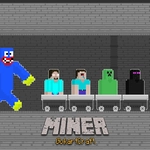
📝Miner GokartCraft - 4 Player Overview
Four miners trade pickaxes for go-karts in this chaotic 4-player jump race. Can you time every boost and leap to stay ahead?
💬What is Miner GokartCraft - 4 Player?
Look, I'll be honest: Miner GokartCraft - 4 Player isn't trying to be a realistic kart sim. It's a gloriously janky side-scroller where four players share a keyboard, each mashing a different jump key, and all hell breaks loose. Noob uses L, Pro uses Up Arrow, Creper uses T, Ender uses W. If you're playing solo, you're doing it wrong — grab three friends because the absolute chaos of four karts bouncing over gaps and slamming into each other is where the game lives.
The track throws obstacles, boosts, and ramps at you from the very first pixel. I remember my first race: I was Ender, frantically tapping W to hop over a pit, while my friend playing Creper just held T and somehow flipped onto my kart. That's the kind of nonsense that keeps you coming back. Timing is everything, but so is pure panic. You'll learn which jumps need a quick tap and which ones demand a full hold, but even then, a perfectly timed rival can shove you into a wall. It's not about perfection; it's about surviving until the finish line.
This is a local-multiplayer gem that laughs at balance. Nobody has identical controls, so expect arguments. It's simple, fast, and runs in any browser — no downloads, no sign-ups, just open the page and pass the keyboard around. Don't expect deep customization or a career mode; this is a quick, laugh-out-loud party game that works best when everyone's elbows are bumping. Bring snacks, blame the controls, and rematch ten times.
👥How to Play Miner GokartCraft - 4 Player
Noob Player To Jump "L"
Pro Player To Jump "Up Arraw Key"
Creper Player To Jump "T"
Ender Player To Jump "W"
✨Game Tips
Don't tap the jump key — hold it a split second longer on big gaps to get full height.
Bump other karts right before a jump; they'll miss the landing and you'll sneak past.
If you're playing alone, use two hands: one for your key, one to sabotage a rival's key.
The Up Arrow player has the most room to press hard; use that to your advantage on ramps.
Boost pads stack their momentum, so aim for consecutive pads even if it means a slight detour.
Learn each track's rhythm — some obstacles are easier to clear if you jump early rather than late.
🔧FAQ
Q: Is Miner GokartCraft - 4 Player free to play?
A: Yes, it's completely free in your browser. No hidden paywalls or premium upgrades.
Q: Can I play Miner GokartCraft - 4 Player on mobile?
A: The controls need a physical keyboard, so mobile touch screens won't work well. Play on desktop or laptop.
Q: Do I need to download anything to play Miner GokartCraft - 4 Player?
A: No downloads required. Just open the page in any modern browser and start racing.
Q: How many players can join Miner GokartCraft - 4 Player?
A: Up to four players share one keyboard. Each player uses a different jump key listed on screen.
Q: What are the controls for Miner GokartCraft - 4 Player?
A: Noob presses L, Pro presses Up Arrow, Creper presses T, and Ender presses W to jump. That's it.
Q: Is Miner GokartCraft - 4 Player suitable for kids?
A: Yes, it's family-friendly with no violence or gore. Chaos and laughter are the main features.