
MinerCraft Party - 4 Player
Play Count0
Published2022-11-21
Supported DevicesPC + Mobile
CategoryAction & Fighting
Rating★★★★★5.0Rate this game
📝MinerCraft Party - 4 Player Overview
Outjump three rivals in a blocky free-for-all where one missed tap sends you tumbling into the void — last cube standing wins.
💬What is MinerCraft Party - 4 Player?
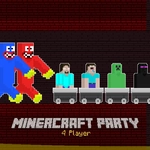
So you've got four friends squeezed around one keyboard, each hammering a different key — L, Up Arrow, T, W — and nobody can agree on whose fault it was when the Noob fell off the edge. That's MinerCraft Party in a nutshell. Each player gets exactly one button: jump. Your blocky character runs forward on their own, and you're only responsible for timing the leap over gaps, onto vanishing platforms, or away from a rival who's trying to land on your head. It sounds simple until you realize you're watching the Creeper instead of your own feet and suddenly you're dead five times in a row.
What makes it work is the sheer panic of local multiplayer. There's no health bar, no respawn timer — just a countdown and then chaos. I kept coming back to it because it's the perfect "one more round" game: short matches, instant rematch, and the kind of trash talk that starts before the first jump. The characters are all just differently colored cubes, but after three rounds you'll have a nemesis. Mine was the Ender player who kept baiting me to jump early. Don't be that person.
On mobile the controls switch to touch zones, which is great for passing a tablet around but a little cramped if four people are jabbing the same screen. Still, it works. If you can, play on a laptop with a proper keyboard and assign the easiest key to the least experienced player.
👥How to Play MinerCraft Party - 4 Player
*Noob Player To Jump "L"
*Pro Player To Jump "Up Arraw Key"
*Creper Player To Jump "T"
*Ender Player To Jump "W"
*Mobile Control Available
✨Game Tips
Stare at your own character's feet, not the other players — tunnel vision kills.
Tap the key lightly; holding it down won't make you jump higher or longer.
Learn the platform patterns before you worry about stomping rivals.
If a friend keeps stealing your assigned key, just trade seats — muscle memory beats stubbornness.
On mobile, rest your thumbs on the edges so you don't cover your own zone.
Play with people you're okay yelling at, because you will yell.
🔧FAQ
Q: Is MinerCraft Party free to play?
A: Yes, it's completely free in your browser — no downloads or hidden fees.
Q: Can I play MinerCraft Party on my phone?
A: Yes, mobile touch controls are built in. Each player gets a tappable zone on screen.
Q: Do I need four people to play?
A: You can play solo against AI or with up to four human players. More friends makes it crazier.
Q: What are the jump keys for each character?
A: Noob uses L, Pro uses Up Arrow, Creeper uses T, and Ender uses W. All on the same keyboard.
Q: Does MinerCraft Party require a download?
A: No, it runs in your browser as an HTML5 game. Just open the page and start jumping.
Q: Can I play MinerCraft Party online with friends?
A: It's local multiplayer only — everyone needs to share the same screen or keyboard.