
Minescraftter Two Player
Play Count0
Published2024-08-19
Supported DevicesPC + Mobile
CategoryAction & Fighting
Rating★★★★★5.0Rate this game
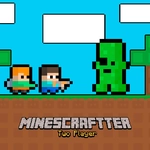
📝Minescraftter Two Player Overview
Grab a buddy and dig into split-screen blocky chaos: jump, mine, and outsmart each other in a world you can reshape on the fly.
💬What is Minescraftter Two Player?
Minescraftter Two Player throws you and a friend into a side-by-side block world where the terrain is yours to break, place, and bounce around in. The controls are dead simple: one person uses WASD, the other gets the arrow keys, and both of you have a double jump that feels surprisingly floaty and generous. I keep catching myself abusing that second jump to leap over my partner's head and steal the good ore spot before they even land.
What makes it click is the mix of cooperation and low-key sabotage. You're technically building together, but the moment one of you grabs a stack of blocks and starts walling off the other's tunnel, it becomes a hilarious game of one-upmanship. The pixel art is chunky and readable, and the split-screen never dips into confusion because each player's screen is clearly separated. One match, my buddy and I spent five minutes digging straight down just to find a hidden cave full of glowing blocks—then he dropped a block under me and I fell into a pit. Worth it.
It's not a deep survival sim or a massive sandbox, but for a quick lunch-break brawl or a couch co-op session, it hits the spot. Touch controls work fine if you're on a tablet, though two players sharing one screen gets cramped fast. Stick to a keyboard if you can.
If you like Minecraft-style block worlds but want instant two-player action without the setup, this is your jam. Just don't be surprised when your friendship gets tested by a well-placed block.
👥How to Play Minescraftter Two Player
*Move to WASD + Arrow Keys
*Double Jump available
*Mobile Touch Control
✨Game Tips
Master the double jump early—it's your best tool for escaping pits and reaching high ore veins before your buddy does.
Split duties whenever possible: one player mines while the other builds bridges or ladders to speed things up.
On mobile, angle the screen toward both players and use the on-screen buttons instead of fighting over the keyboard.
Dig in straight lines rather than wandering randomly; you'll find caves and rare blocks much faster.
If you're feeling cheeky, save a few blocks to trap your partner in a hole—it never gets old.
Pay attention to the block colors: lighter blocks are often weaker or more valuable, so target them first.
🔧FAQ
Q: Is Minescraftter Two Player free to play?
A: Yes, it's completely free in your browser with no paywalls.
Q: Can I play Minescraftter Two Player on my phone?
A: Yes, touch controls are supported, though two players on one phone is tight.
Q: Do I need to download anything to play?
A: No download needed. It runs right in your web browser as an HTML5 game.
Q: What are the controls for two players?
A: Player 1 uses WASD keys, Player 2 uses arrow keys. Both can double jump.
Q: Can I play Minescraftter Two Player by myself?
A: Technically yes, but the game is designed for two players. Solo play works but loses the fun.
Q: Does the game save my progress?
A: No, it's a quick session-based game without persistent saves—just restart and play again.